Plug your app into DSM
Your app stays what it is: a game, a shop, a service, in the language you already use. You don't build on DSM the way you build on a blockchain, with contracts and a new language. You plug in. Your app gets its own DSM account, your users connect their DSM wallet to it, and from then on your app can ask the wallet for things. Your own account tells you, with evidence, what happened.
- You write no Kotlin, Swift or Rust. The wallet exists, on Android and iOS.
- You hold no user's keys, passwords or card numbers.
- You learn a dozen words:
offer,connections,request,result;send,owns,accept,trade,match,login;issue,give.
This guide walks the whole path, a page at a time. Every command on these pages is in a box with a copy button; paste it into a terminal as it is. The screenshots are from real runs.
- Set up your machine: Node.js, and DSM's tools from a release: no Rust, no clone.
- The wallet on Android and iOS: what your players run. Optional; a wallet in the terminal does for testing.
- Your app's own DSM account: one command, and your app has an account on the beta network, funded.
- Make an offer, connect a wallet: a code, a scan, an approval.
- Ask the wallet for things: a payment, a proof of what it owns, a sign-in, an item.
- Write it into your app: the same calls in TypeScript and in Python.
Then, when you want them: shops, matches and contacts, running your app's account in production, and a storage set of your own.
Where this takes you
By the fifth page your app has shown a code, a wallet has connected to it, and your app has asked it for things:
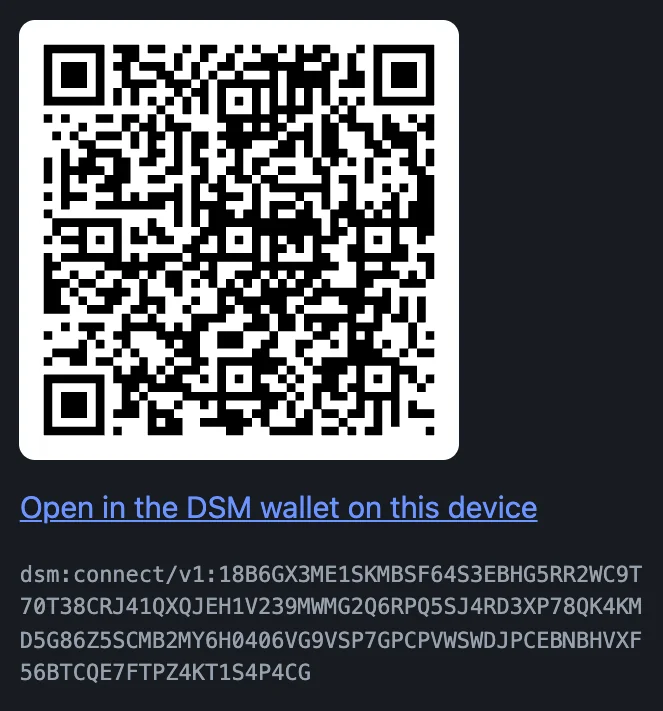
In your app's code, the heart of it is this. The whole program, which ran as shown, is on Write it into your app.
import { ask, grant, localAccount } from "dsm-app-client";

const app = await localAccount("app");
const offer = await app.offer({ name: "My Game", grants: [grant.send("ERA", "0.10", "1.00")] });
console.log(offer.code); // show it as a QR code

// Once a wallet has connected to it (the whole program waits for one):
const player = (await app.connections()).find((c) => c.connected);
const paid = await app.wait(await app.request(player, ask.send("ERA", "0.05", "100 gems")));
if (paid.fact === "received") {
  // Your own account took up the transfer: hand over the gems.
}
Each page ends with all of its commands as one script, and Write it into your app has the whole app as one program, in JavaScript and in Python, to copy and run.
Apps already plugged into DSM, a game, a warehouse system and a prototype AI with a body, are on Apps plugged into DSM, with screenshots of each.
What DSM is, for an app builder
- Each party keeps its own state. Your app has an account, each player has a wallet.
- There is no global ledger to wait on, no validators and no fee market. Storage nodes keep an index of where everyone's state is, and decide nothing.
- You plug in. You don't deploy storage nodes or run any part of the DSM network: your app runs its own DSM account beside your existing server.
Your app is an account
Your web app stays a web app. Beside it runs one process, the app host, and that process is your DSM account: one real identity, running the same code a phone runs. Your server talks to it on the same machine. Wallets reach it over TLS, through what it calls its relay.
 your app's server ──HTTP+protobuf (loopback, secret)──► dsm-app-host ──► storage nodes
                                                          (your app's      (the network's
                                                           DSM account)     storage set)
                                                               ▲
 player's DSM wallet (phone) ──HTTPS, pinned in the code──────┘  (the relay)
Important
Trust your account, not the relay. The relay carries messages between wallets and your account, and proves nothing. A wallet's answer to a request, its outcome, is what the wallet says happened. Your app acts only on a fact: what your own account established from the evidence itself, a transfer it accepted, a proof of holdings it verified, a signature it checked. Outcome and fact shows the two side by side.
Connect, in one picture
Your app makes an offer: its name, and what it wants to be allowed to do. The offer becomes a code. A wallet scans it, shows the player what is asked, and the player approves a grant. From then on your app sends requests, and the wallet answers: at once when a request is inside the grant, and after the player says so when it is not.
A grant is the player's consent, written down: which kinds of requests your app may make without asking again, and the caps on each, per request and in all. It is not a validity rule. Every request still runs through the same routes the player would use by hand, so a grant never lets your app do something the player could not do themselves.
What your app can never do
- Hold the player's keys. They never leave the phone.
- Spend past a cap. The wallet refuses, and asks the player.
- Treat anything the relay says as proof. The only facts are the ones your own account established.
What you can replace
| You run today | With DSM | Why it's better |
|---|---|---|
| Passwords, password resets, an authenticator app, SMS codes, security keys | ask.login: the player approves "Sign in to your app" on their device, and the wallet's identity signs it. Your account verifies the signature and gives you the fact signed. | No password or code to store, leak, reuse or intercept. The player reads the words on their own device and signs them there, and the signature names this connection and this request, so it signs the player in to your app and nowhere else. It does not stop a player approving a look-alike app's own requests: the wallet shows which app is asking, and the player decides. Post-quantum signatures. No hardware key to buy, ship or replace. |
| A payment processor for in-app purchases | ask.send: the wallet sends your account ERA, or a coin you issued. Fact: received. | A transfer your account accepted is final; there is no chargeback. Small amounts cost what a storage write costs, not a percentage plus a fixed fee. Inside the grant's caps the player is not asked again. |
| An inventory database as the source of truth for who owns what | issue an object, give it, and later ask.owns: the wallet proves what it owns, and your account verifies the proof. Fact: owns. | Items are the player's: they can send them to each other in the wallet, and your app still sees who holds what. Your database keeps game state; ownership lives with the player. |
| An escrow service, or trusting yourself with both players' stakes | A match: both players stake from their own wallets, your app decides, the winner collects. | Your app never holds the stakes. Each wallet locks its own, under terms it built itself; your key only decides. |
| A marketplace backend with its own order book and settlement | A vault of your own that sells your coin for ERA (or any pair) at a fee you set, and ask.trade. | Prices come from the vault's reserves, trades settle on the players' own devices, and your account earns the fee. |
| Account recovery flows, "forgot password" | None. The identity is the player's wallet, which they back up themselves. | Your app has nothing to recover. |
What DSM does not replace: your app's own logic and state (DSM holds identities, objects and facts, not your game), and government identity. If you need KYC, keep your own record of it keyed by the player's DSM identity, which a sign-in proves. DSM itself holds no personal data, so KYC attaches to the identity, not to a password.
Who pays for what
Storage on DSM is paid for by the account that writes: a one-time entry payment, then credits consumed by each write. Nobody is billed per month or per user, and reading is free. That leaves you three ways to set things up:
- Players pay their own way. Each player's wallet is their own account, on the public set. In the beta, the faucet funds every new wallet. Your app pays only for its own account's writes. This is what this guide sets up: your app's account on the beta network, funded by the same faucet.
- Your app pays for its players.
givea player ERA when they connect; their wallet spends it on its own writes. What you give is theirs, and works anywhere on DSM, so this is a gift, not a subscription. - Your app runs the storage, and players pay nothing. Run your own storage set and point your players' wallets at it. A node may enforce the entry payment and credits, or not; on your own set, that is your call. You pay the hosting. Accounts on your set are still their owners', and a wallet on your set reaches only your set. A storage set of your own shows it on one machine.
What this replaces, in cost: a hardware key per user and its replacements, SMS codes per message, a processor's percentage on every payment, an escrow or marketplace provider. What you pay instead is your account's storage writes, in ERA, and hosting if you choose the third setup.
What you need
- macOS or Linux. On Windows, use WSL2.
- Outbound HTTPS. Nothing of the network runs on your machine: your app's account joins the beta network, the hosted storage set every wallet ships configured for.
- No PostgreSQL and no storage node. You need those only if you later run a storage set of your own.
Next: Set up your machine.
Set up your machine
Plugging an app in needs Node.js 20 or later, Python 3 if you use the Python client, and curl. No Rust, no protobuf compiler, and no copy of the DSM repo: DSM's tools come prebuilt from a release, for Linux (x86-64 and ARM64) and macOS (Apple silicon and Intel). On Windows, use WSL2 with Ubuntu and follow the Ubuntu lines. PostgreSQL is not on the list either: you need it only if you later run storage nodes of your own.
1. Install the prerequisites
macOS, with Homebrew. macOS already has Python 3 with venv, and curl.
brew install node
Ubuntu or Debian. Ubuntu's own nodejs package is older than the Node.js 20 the tools need, so Node comes from NodeSource:
sudo apt update
sudo apt install -y curl ca-certificates python3-venv
curl -fsSL https://deb.nodesource.com/setup_22.x | sudo -E bash -
sudo apt install -y nodejs
These four lines are the ones the newcomer check (make first-run) runs on a clean Ubuntu before it follows this path to a payment received.
2. Install DSM's tools
Download the release's install script, then run it:
curl -fsSLO https://github.com/deterministicstatemachine/dsm/releases/download/v0.1.0-beta.4/install.sh
sh install.sh
It downloads the release's SHA256SUMS, then the app host built for your machine and the developer archive, and checks each against SHA256SUMS before it unpacks anything. A file that is missing from it or does not match stops the install, and nothing is changed. Then it installs into ~/.local:
dsm-app-host: your app's own DSM account.dsm-app: your app's account from the terminal.dsm-dev-wallet: a player's wallet in the terminal, to test with no phone.dsm-connect-starter: the starter app, a page to build your app from.- The TypeScript and Python clients, as packages you install into your app, under
~/.local/share/dsm/clients.
What it printed on a Mac:
DSM 0.1.0-beta.4 for macos-arm64, from …
  verified  dsm-app-host-0.1.0-beta.4-macos-arm64.tar.gz  sha256 bfaebcc172e33f0a519bd4e50d42968bb7d67cee2a73eed78712a62c9af4f3eb
  verified  dsm-developer-0.1.0-beta.4.tar.gz  sha256 7ecc867880f1c6feeb82d7b1f48d7c840a58bb6bcfb6593e26360a3afe2cf40e

installed:
  ~/.local/bin/dsm-app-host        dsm-app-host 0.1.0-beta.4
  ~/.local/bin/dsm-app
  ~/.local/bin/dsm-dev-wallet
  ~/.local/bin/dsm-connect-starter
  the clients, to install into your app:
    ~/.local/share/dsm/clients/dsm-app-client-0.1.0-beta.4.tgz
    ~/.local/share/dsm/clients/dsm_app_client-0.1.0b4-py3-none-any.whl
note: ~/.local/bin is not on your PATH; add it (and the same line to your shell's profile):
  export PATH="$HOME/.local/bin:$PATH"
… is where it downloaded from, and the checksums are that build's; yours name the release's. To check the script itself before you run it, read it: it is short, and it is scripts/install.sh in the repo.
3. Put the tools on your PATH
If the install said ~/.local/bin is not on your PATH, add it to this terminal, and the same line to your shell's profile (~/.zshrc on macOS, ~/.bashrc on Ubuntu):
export PATH="$HOME/.local/bin:$PATH"
Then check:
dsm-app-host --version
dsm-app-host 0.1.0-beta.4
4. A folder for your app
Your app's account lives in the folder you start it from, so start from your app's own folder. To follow this guide, make one:
mkdir my-app && cd my-app
Every command from here on runs in this folder.
Building from source instead
To work on DSM itself, build the wallet (next page), or run storage nodes of your own (A storage set of your own), clone the repo and build it. That needs a C toolchain, Git, protobuf's compiler and Rust as well; a JDK 17 is for the Android wallet.
git clone https://github.com/deterministicstatemachine/dsm.git
cd dsm
make doctor
QUICKSTART.md lists the prerequisites. make doctor reads every tool the build needs and says what it found; it changes nothing on your machine. From the repo, the make targets run the same programs as the installed commands, built from your checkout:
| Installed | From the repo |
|---|---|
dsm-app up, dsm-app down | make app-dev, make app-dev-down |
dsm-app <command> | make app ARGS="<command>" |
dsm-dev-wallet up | make dev-wallet |
dsm-dev-wallet <command> | make wallet ARGS="<command>" |
DSM_WALLET_NAME=wallet2 dsm-dev-wallet up | make dev-wallet2 |
DSM_WALLET_NAME=wallet2 dsm-dev-wallet <command> | make wallet2 ARGS="<command>" |
dsm-connect-starter | make starter |
| the clients' packages | clients/typescript, clients/python |
The repo's accounts live in its own .dsm-dev folder, so run those from the repo's root.
Next: The wallet on Android and iOS, or skip straight to your app's own DSM account.
The wallet on Android and iOS
This page is optional. Everything in this guide can be tested with a wallet in the terminal, which the connect page starts with one command. Build the real wallet when you want to see what your players see.
As installed, the wallet is on the beta network: five storage nodes, named in a file inside the app with each one's certificate, so it trusts no node it was not built to trust. Your app's account will be on the same network.
Android
You need Android Studio with the Android NDK 27.0.12077973, and ANDROID_NDK_HOME set to it. With that in place, set the build up once:
make setup
Then build the wallet and install it on every phone connected over adb:
make install
make android builds the APK without installing it.
iOS
On a Mac with Xcode, and cbindgen:
cargo install cbindgen
Build the Rust SDK for iOS, the wallet's screens, and the app for the Simulator, then install it on the Simulator that is running and open it:
make ios-libs
make ios-frontend
make ios-simulator
make ios-simulator-run
The iOS app runs the same Rust SDK and the same screens as the Android one.
For a real iPhone or iPad, run make ios-device IOS_TEAM= followed by your Apple team id: Xcode signs it with automatic provisioning. A free Apple ID gives a profile that lasts a week; a developer account, a year.
The first run
The first run is the wallet's setup. You read the beta terms and tick each one, and you pick a look.
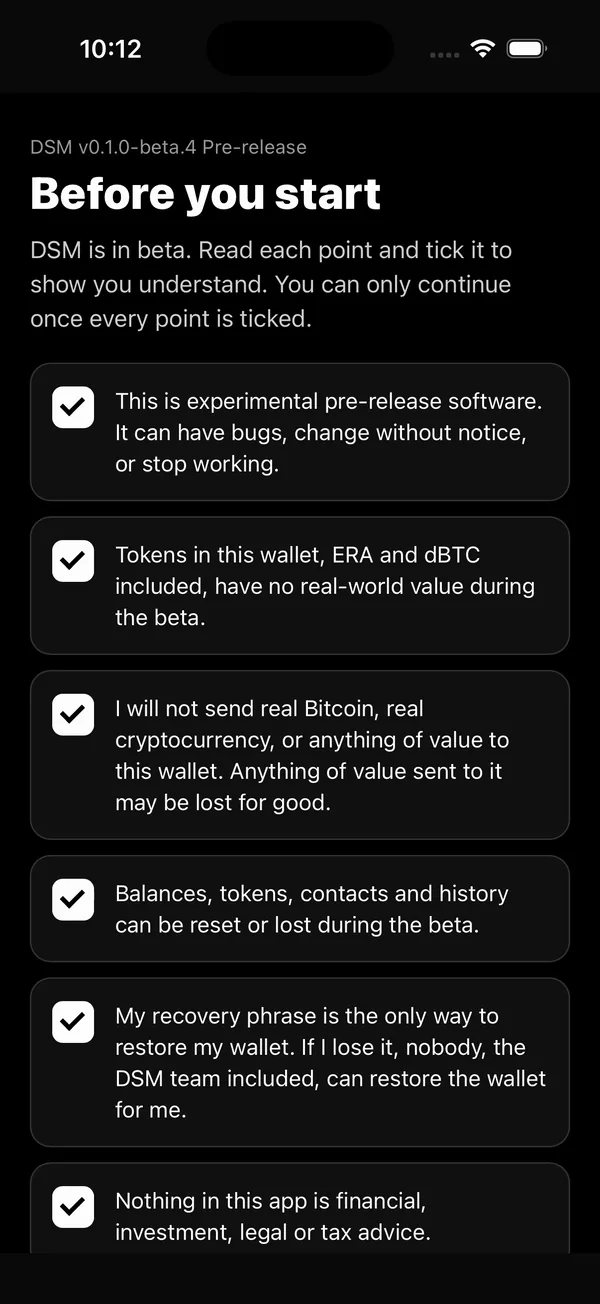
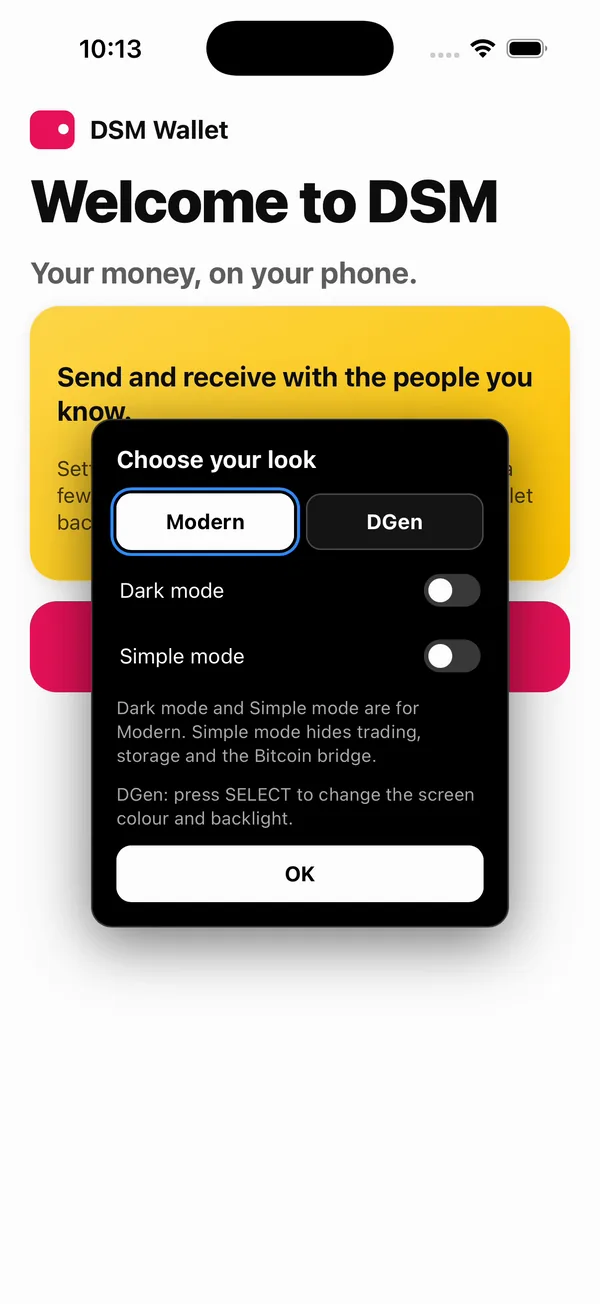
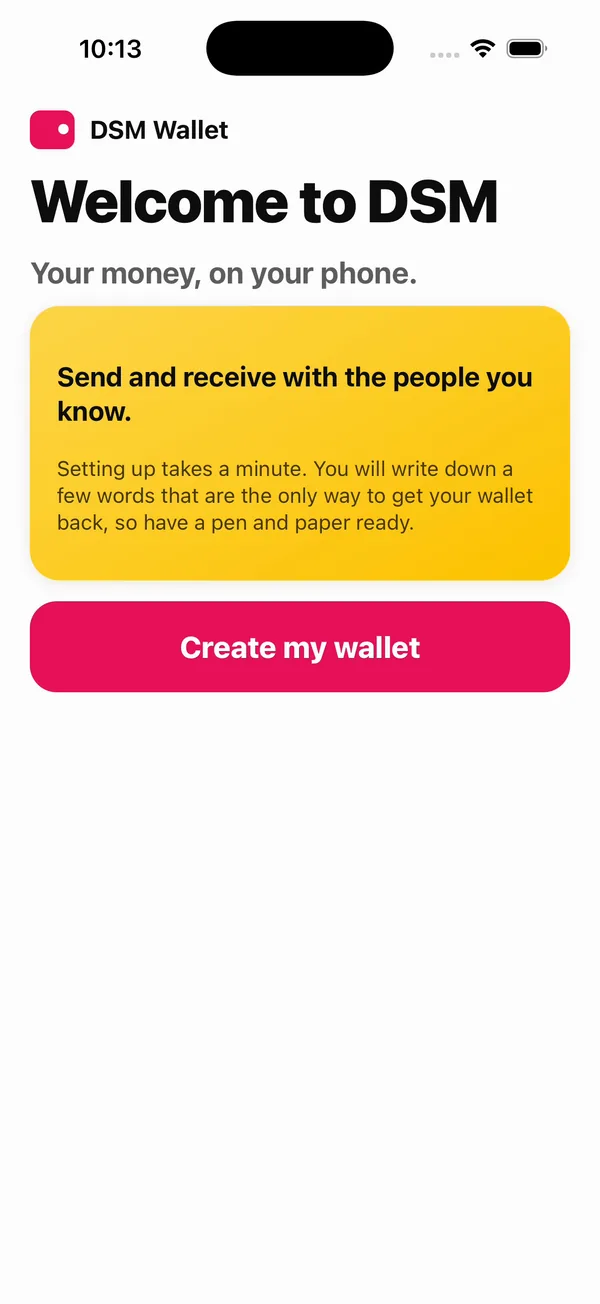
Then the wallet makes its identity on your phone: a recovery phrase of 24 words, which you write down and check. The phrase is not shown here. After the check, the wallet puts itself on the network: it publishes its directory entry to the storage nodes, and then it is ready.
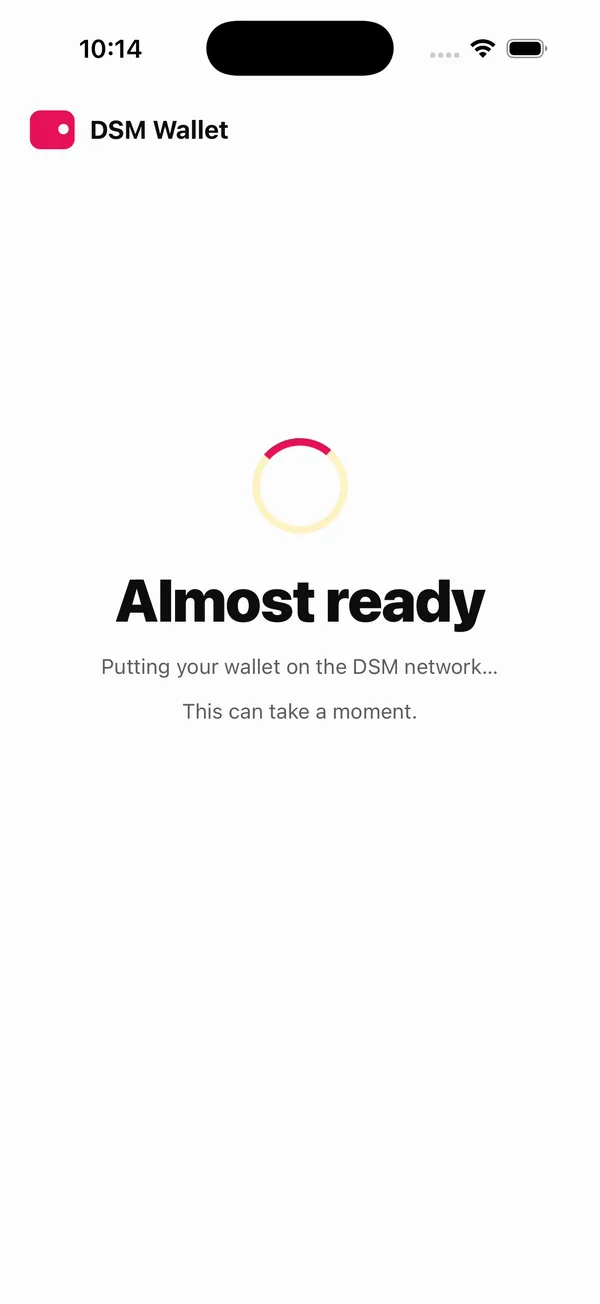
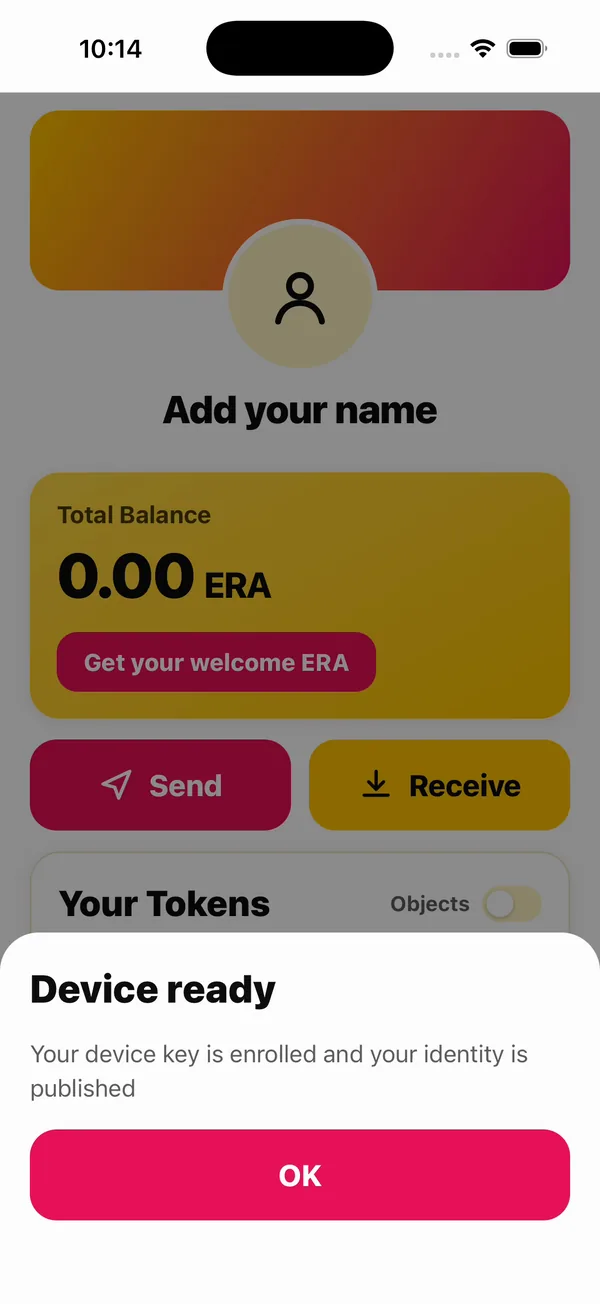
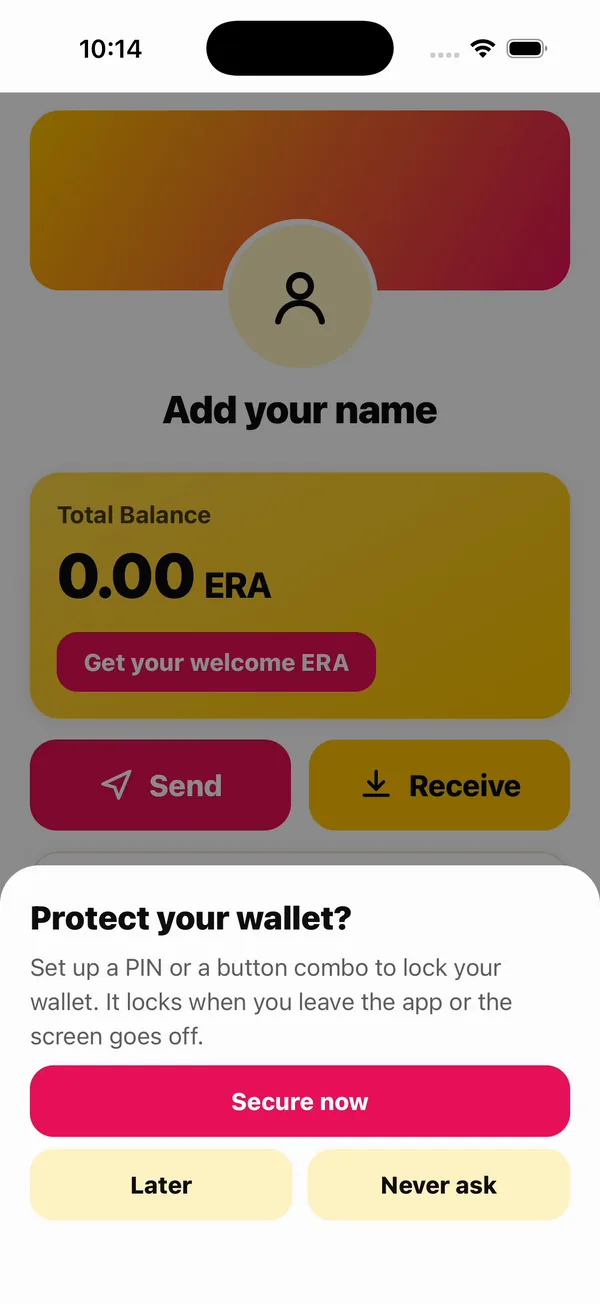
Its first money is one tap: Get your welcome ERA, which the network's faucet gives a new account.
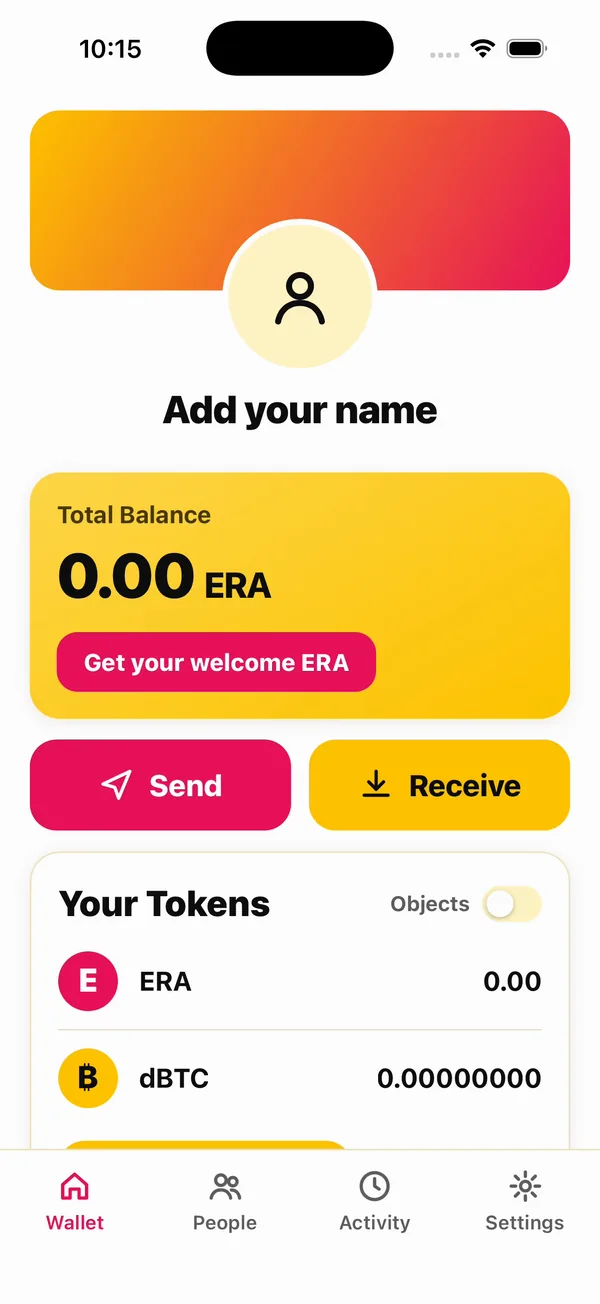
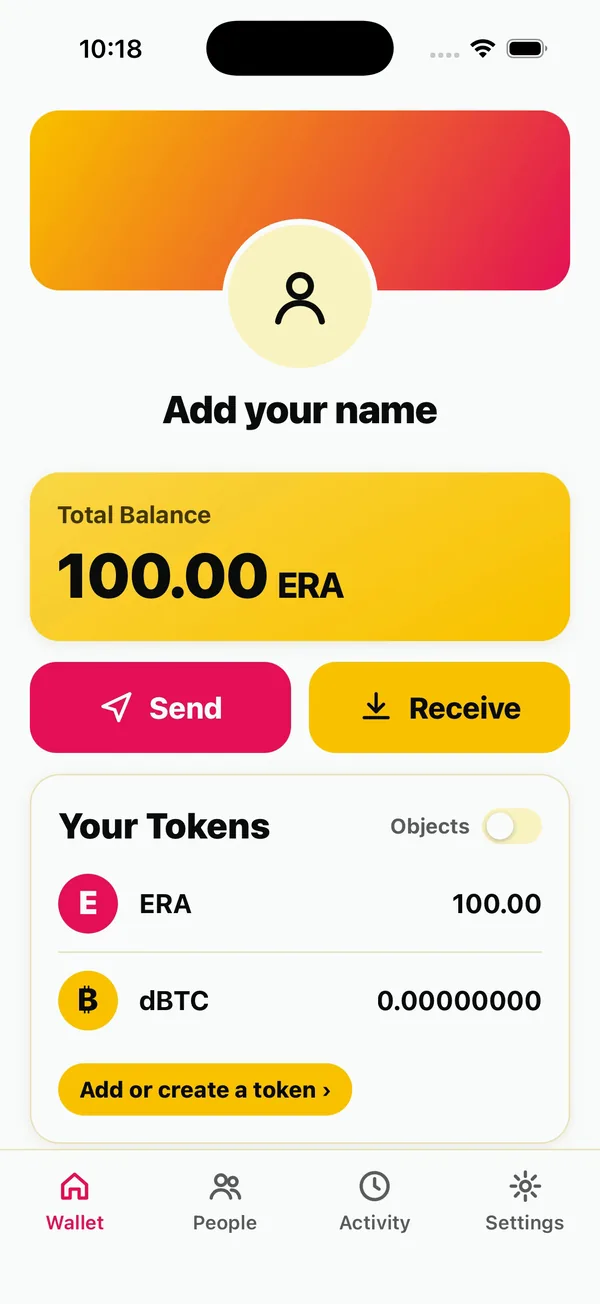
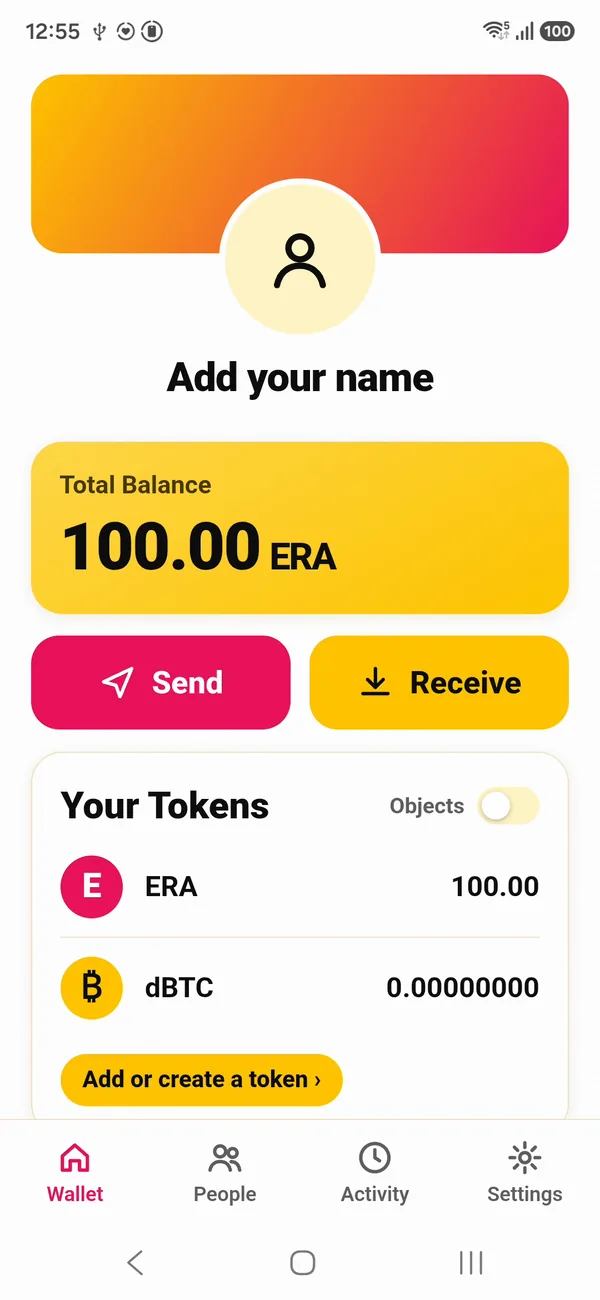
Each wallet now holds ERA from the faucet, so there is something to pay your app with. Nothing of the network runs on your machine.
Next: Your app's own DSM account.
Your app's own DSM account
Your app gets a DSM account. Not an API key, not a merchant id: an account like a wallet's, with its own identity, running the same code a phone runs.
+ per-launch secret→dsm-app-host
your account→storage nodes
Your web app stays what it is: Node, Python, whatever it is today. Beside it runs one process, the app host, and that process is your account. Your app talks to it over a local socket on the same machine, loopback only, with a secret the host writes for each launch. Wallets reach the host over TLS, through its relay.
1. Start it
In your app's folder:
dsm-app up
This runs dsm-app-host in the background with a data directory, a directory for the ingress secret, and the beta network's client config, which the host carries: the same five storage nodes the wallet ships with. It keeps them under .dsm-dev in this folder.
The first launch creates the account. It writes a recovery mnemonic once to the data directory, readable by you alone, and makes the account the way a phone does. The host waits until the network holds the account's directory entry, and only then opens its ingress. Then the account is funded from the network's faucet.
What it prints, from a run on the beta network (13 seconds, on a Mac):
[dsm-app] app account running
  storage set:    the beta network (carried in dsm-app-host)
  ingress:        http://127.0.0.1:8787   (your server calls this)
  ingress secret: …/.dsm-dev/app/ingress/ingress-token
  relay:          https://127.0.0.1:8443   (wallets reach this)
  recovery:       …/.dsm-dev/app/data/RECOVERY_MNEMONIC
  log:            …/.dsm-dev/app/host.log
funded: claimed 100.00 ERA (economic position 1)
… is your app's folder. Line by line:
- storage set: the beta network, hosted.
- ingress, on loopback port 8787: your server calls this.
- ingress secret: in its own directory, so your app can read the secret and nothing else of the account.
- relay, on port 8443: wallets reach this.
- recovery: the recovery mnemonic.
- funded: 100 ERA from the faucet.
Warning
Back up the recovery mnemonic like a wallet's, because that is what it is. Whoever can read the data directory controls the account.
dsm-app up returns once the account is running; the host keeps running in the background. dsm-app down stops it, and dsm-app status says whether it runs. Run dsm-app up again whenever you like: it keeps the same account, and claims nothing more from the faucet once the account holds ERA (it says already holds and the amount).
2. Look at it
dsm-app talks to the account through the same ingress your code will. id prints the account's identity:
dsm-app id
P1TTQ65K20YCW6FCHVJ8A8V0VQ55NN3DZK6KCBFMCC3M98KN3X2G
owned prints what it holds: a hundred ERA from the faucet, and nothing of dBTC yet.
dsm-app owned
ERA                100.00   currency NNG176RZ6ACTWCDPRNYHXZK2DCZ72SPA9Q6XWGRGQ9JGKZYTESG0
dBTC           0.00000000   currency 0EJ2PSRS2YQR8BR77P3WZ92SV12VJT7XP6NWP0SH5P8MWD81C8H0
Each line is an object: its symbol, the amount in its own units, its kind, and its id.
activity is the account's own record of every call made through the ingress:
dsm-app activity
account P1TTQ65K20YCW6FCHVJ8A8V0VQ55NN3DZK6KCBFMCC3M98KN3X2G
1  ROUTE  faucet.claim  claim ERA from the network's faucet  -> claimed 100.00 ERA (economic position 1)
Your app can read the activity too, from any point. That is how it learns what happened without trusting anyone's say-so. Your identity and ids will differ from these; everything else reads the same.
3. The ingress
Three routes make the ingress:
| Route | What it does |
|---|---|
POST /ingress | Makes a call, and records it in the account's activity. |
POST /ingress/quiet | Makes a call that is not recorded: what your app polls with. |
GET /activity/{after} | Reads what was recorded after that point. |
Every call carries the launch's secret as Authorization: Bearer <secret>, must name the ingress as its Host, and may come from no other web origin. A web page in a browser on the same machine can neither read the secret nor send it. The clients wrap all of this; you will not write these requests by hand.
4. The wire
On the wire, each call is one protobuf message, the route's name and its arguments, answered with one message back. The schema is one file, proto/dsm_app.proto, and the TypeScript and Python clients are generated from it. For a client in another language, that file is all you need: send an IngressRequest (a RouterInvokeOp or RouterQueryOp: the route's name and an ArgPack holding its request message) to POST /ingress, and an IngressResponse comes back. clients/typescript/src/ingress.ts is the whole exchange, in one short file.
5. The first call
Here is the first call in TypeScript and in Python: open the local account, and ask for its connections. First the client, into your app's folder. TypeScript, from the package the install put in ~/.local/share/dsm/clients:
npm init -y
npm install ~/.local/share/dsm/clients/dsm-app-client-0.1.0-beta.4.tgz
npm init -y makes a package.json if your folder has none. The client's types are inside the package, so nothing is compiled. Then:
import { localAccount } from "dsm-app-client";

const app = await localAccount("app");
console.log(await app.connections());
from dsm_app_client import local_app

app = local_app()
print(app.connections())
Each prints an empty list: nothing is connected yet. localAccount("app") and local_app() find the account dsm-app up started by looking for the .dsm-dev folder above the folder you run in; from anywhere else, name it with DSM_DEV_DIR. Write it into your app runs whole programs.
The Python client goes into a virtual environment, from its package beside the TypeScript one:
python3 -m venv .venv && . .venv/bin/activate
pip install ~/.local/share/dsm/clients/dsm_app_client-0.1.0b4-py3-none-any.whl
python3 ~/.local/share/dsm/examples/account_status.py
account_status.py prints your account at a glance: its identity, what it owns, every connected wallet with what it may do, and the latest activity. Its types are inside the package too, so pip installs it with nothing to compile; it fetches one dependency, protobuf.
The whole page, as one script
dsm-app up
dsm-app id
dsm-app owned
dsm-app activity
Next: Make an offer, connect a wallet.
Make an offer, connect a wallet
Your app shows a code, and a wallet connects to it. By the end of this page a wallet is connected to your account, and your app knows exactly what the wallet has let it do.
What an offer is
An offer is what your app asks for, before a wallet agrees to anything. It carries your app's name and a list of grants: things the wallet will let your app do without asking the player again, each with a cap. Send, up to so much per request and so much in all. Owns, to prove what it holds. Accept, to take objects your app issues. The wallet shows all of it to the player before they approve. Nothing in a grant is hidden, and nothing outside it runs without the player.
In code, an offer is one call:
const offer = await app.offer({
  name: "My Game",
  grants: [grant.send("ERA", "0.10", "1.00"), grant.owns(["ERA"]), grant.accept()],
});
console.log(offer.code);
Amounts are in the object's own units: "0.10" is a tenth of an ERA. This page makes offers two ways: on the starter's page, and from the command line.
1. The starter: your app as a page
The starter is a web app plugged into DSM, and the place to build your app from pieces. It runs in the foreground, so give it a terminal of its own, in your app's folder:
dsm-connect-starter
Open http://127.0.0.1:3000.

The page is a builder, with three kinds of pieces, in the order an app uses them:
- Objects your app issues: a coin, points, an item (supply 1 is a one-of-a-kind), a ticket; and a shop, a vault that sells one object for another.
- What the wallet lets your app do: the offer. Tick the grants (send, owns, accept, contacts, match, trade), set each cap, and press Show the connect code.
- Ask a connected wallet: send, prove what it owns, sign in, sign a statement, accept or receive an object, price or make a trade through your shop, stake on a match, decide it, collect.
Under every piece is the exact code it is, with a Copy button. The page never makes that code up: it asks the starter's server, which runs one mapping from piece to client call both to show the code and to make the call. Set the pieces up the way your app needs them, press the button to see it happen, then paste the code into your own app.
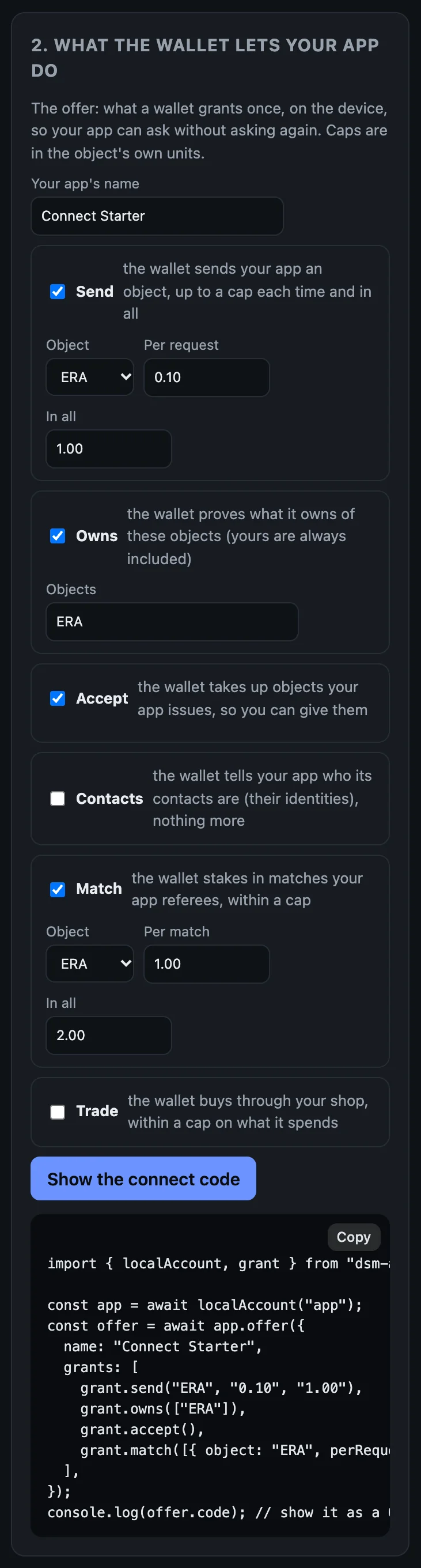
To connect the terminal wallet below to the page's code instead of the command line's, copy the code under the QR and run dsm-dev-wallet connect followed by it.
2. A wallet in the terminal
To test without a phone, start a player's wallet in the terminal:
dsm-dev-wallet up
It is a second account, made the same way dsm-app up made yours, on the same network, and funded from the faucet:
[dsm-dev-wallet] wallet account running
  storage set:    the beta network (carried in dsm-app-host)
  ingress:        http://127.0.0.1:8788   (your server calls this)
  ingress secret: …/.dsm-dev/wallet/ingress/ingress-token
  relay:          https://127.0.0.1:8444   (wallets reach this)
  recovery:       …/.dsm-dev/wallet/data/RECOVERY_MNEMONIC
  log:            …/.dsm-dev/wallet/host.log
funded: claimed 100.00 ERA (economic position 1)
dsm-dev-wallet down stops it.
3. Make the offer from the command line
CODE=$(dsm-app offer 'My Game' ERA 0.10 1.00)
The words after offer are your app's name, the object a wallet may send it, the cap per request and the cap in all. The command line's offer asks for more than sends: to be shown what the wallet owns, to hand it objects your account issues, to see its contacts, and to referee matches it stakes ERA in (1.00 a match, 2.00 in all).
The code is now in $CODE:
echo $CODE
dsm:connect/v1:18B6GX3ME1SKMBSF64S3EBHG5RR2WC9T70T38CRJ41QXQJEH1V239MWMG2Q6RPQ5SJ4RD3XP78QK4KMD5G86Z5SCMB2MY6H0TPTDHBBYF15C78D78Z8ACYG4C5HQ0A6TAVSEY614C1D27CXRNWGG
It is long because it carries the relay's address and its certificate pin: the wallet fetches the offer itself, over TLS pinned to that certificate.
4. Connect the terminal wallet
dsm-dev-wallet connect "$CODE"
The wallet fetches the offer, checks it, and prints what My Game asks for. The terminal wallet is your test wallet, so it approves on its own, and prints the connection: its id, the app, CONNECTED, and the grants it now holds.
My Game (account 0RHS9YDRSPR9PG9WESBX7PMGAVMEJSSVSC11QSD4NG4JPKY3XQ80) asks to:
  - Send this app: up to 0.10 ERA a time, 1.00 ERA in all
  - Prove what you own of ERA and of objects this app issued
  - Receive objects this app issues
  - See which of your contacts are here: their DSM IDs, not their names
  - Lock stakes for matches: up to 1.00 ERA a time, 2.00 ERA in all
  - Up to 64 requests that spend nothing; after them, each waits for you
approved:
connection RKBQ40RXFBYWZCJ150X3XG32V7EQYPN1SDGV96VGGTCAQCJMCSTG  My Game  CONNECTED
  grants: Send this app: up to 0.10 ERA a time, 1.00 ERA in all
  grants: Prove what you own of ERA and of objects this app issued
  grants: Receive objects this app issues
  grants: See which of your contacts are here: their DSM IDs, not their names
  grants: Lock stakes for matches: up to 1.00 ERA a time, 2.00 ERA in all
  grants: 0 of 64 requests that spend nothing used
A player on a phone reads the same list and decides.
5. See it from your app's side
dsm-app connections
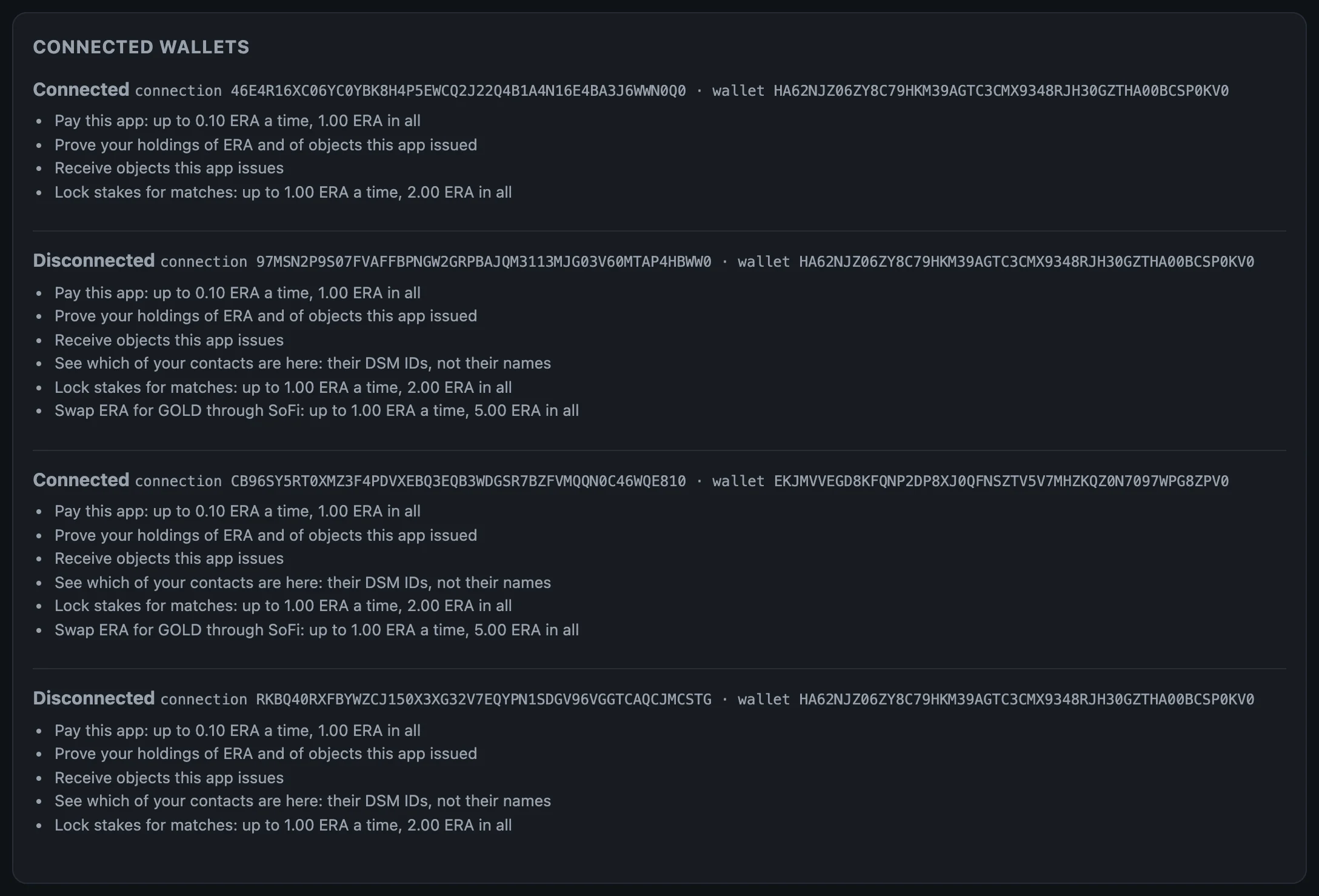
connection RKBQ40RXFBYWZCJ150X3XG32V7EQYPN1SDGV96VGGTCAQCJMCSTG wallet HA62NJZ06ZY8C79HKM39AGTC3CMX9348RJH30GZTHA00BCSP0KV0 CONNECTED
One line per wallet: the connection's id, the wallet's identity, and whether it is connected. The connection's id is what every request on the next page names. The starter lists the same, with what each connection may do:
6. On a phone
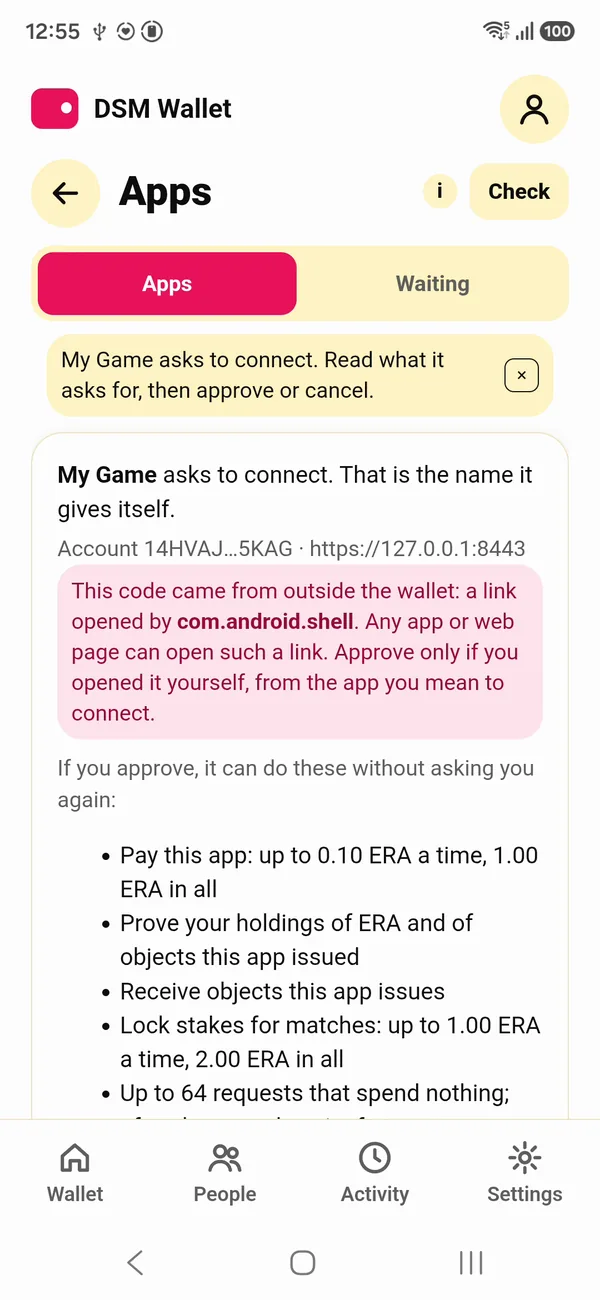
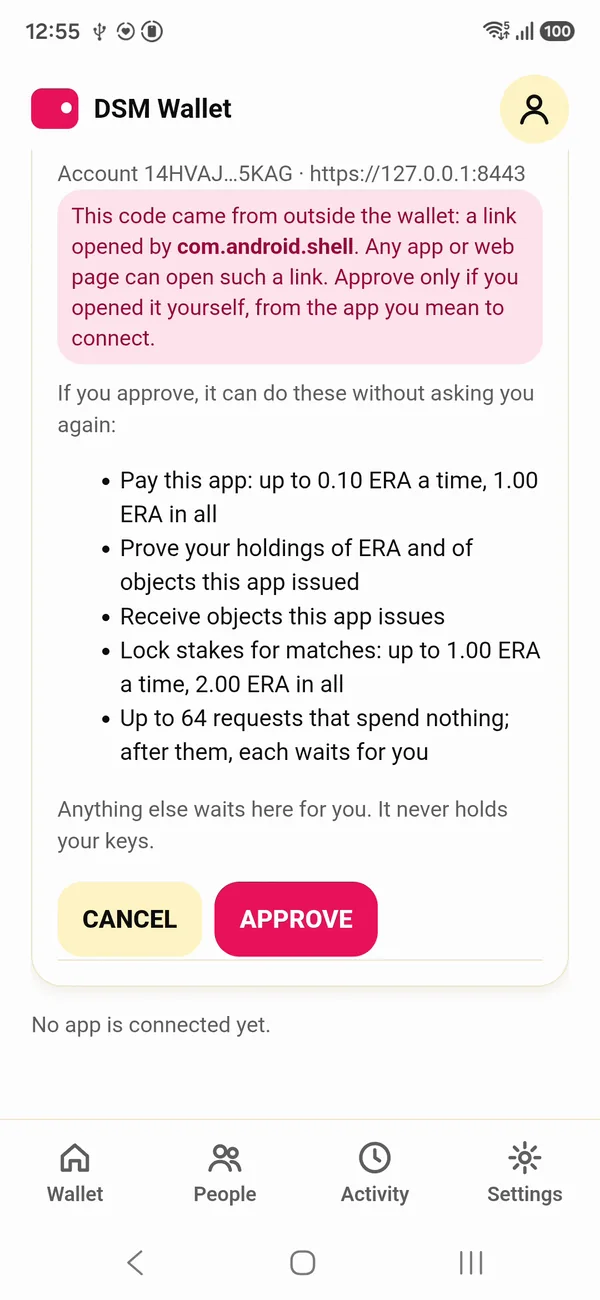
On Android, the wallet's Apps screen has Connect an app. Scan the starter's QR with Scan code, or open the code as a link on the same phone and press Read. The wallet shows the same list the terminal printed: who asks, what for, and the caps. The player approves.
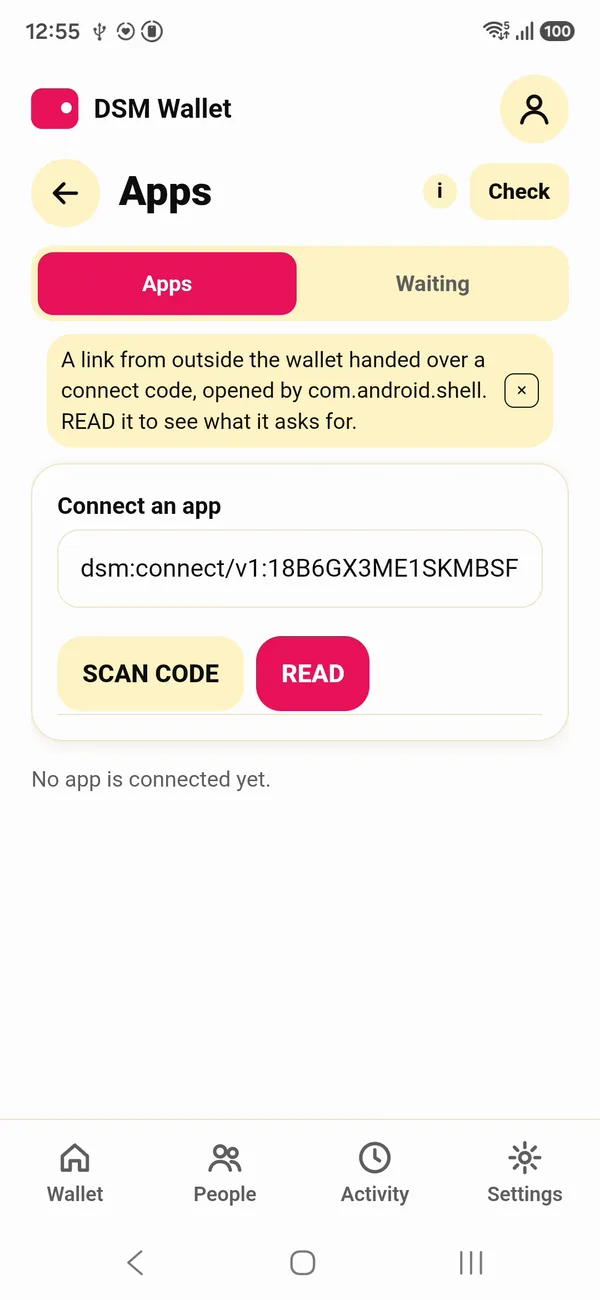
The iOS Simulator has no camera, so there the code opens as a link. From the repo (building from source), this opens a code in the wallet on every phone on your machine at once, the adb devices and the booted iOS Simulators (debug builds of the wallet):
make phones-connect CODE="$CODE"
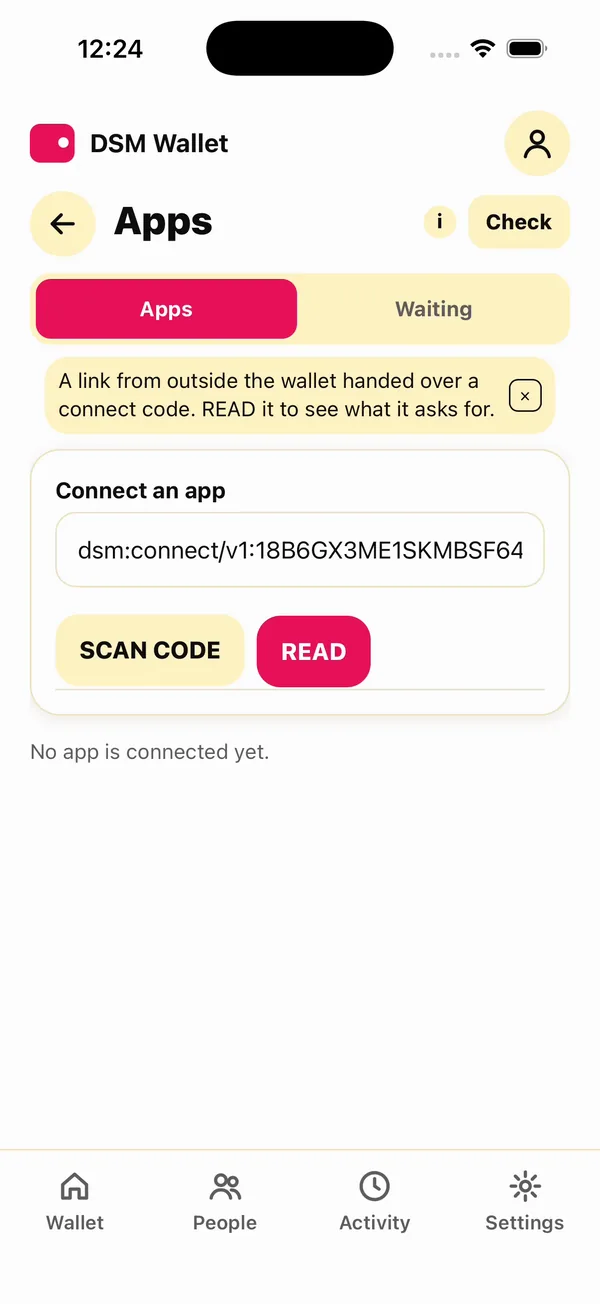
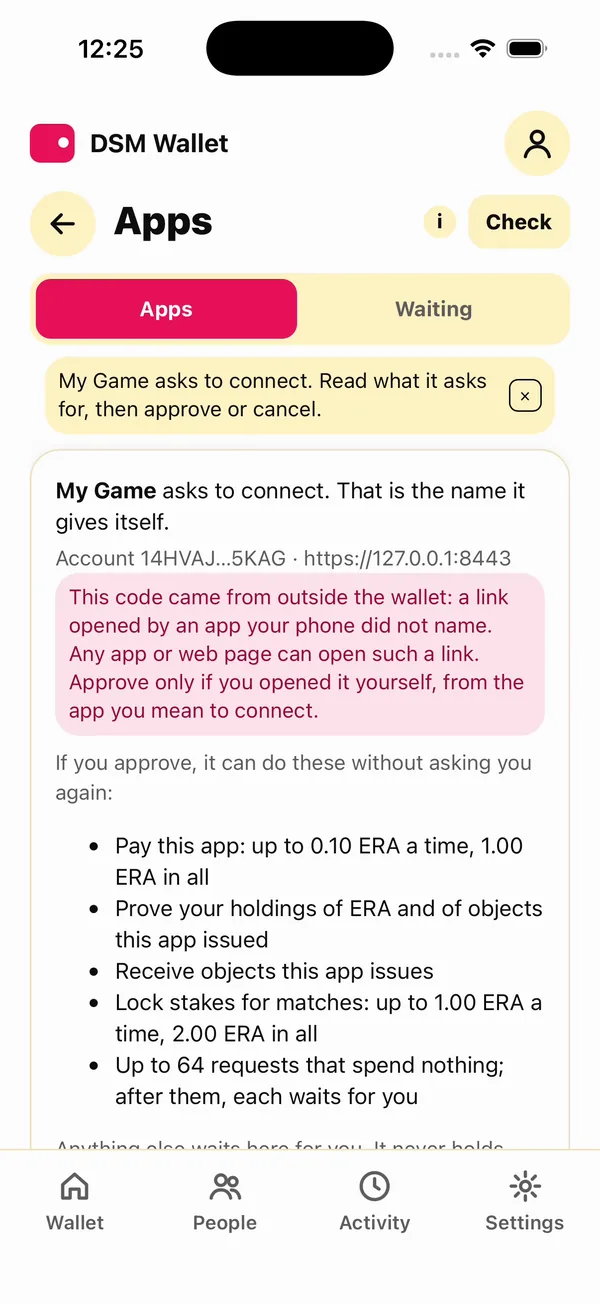
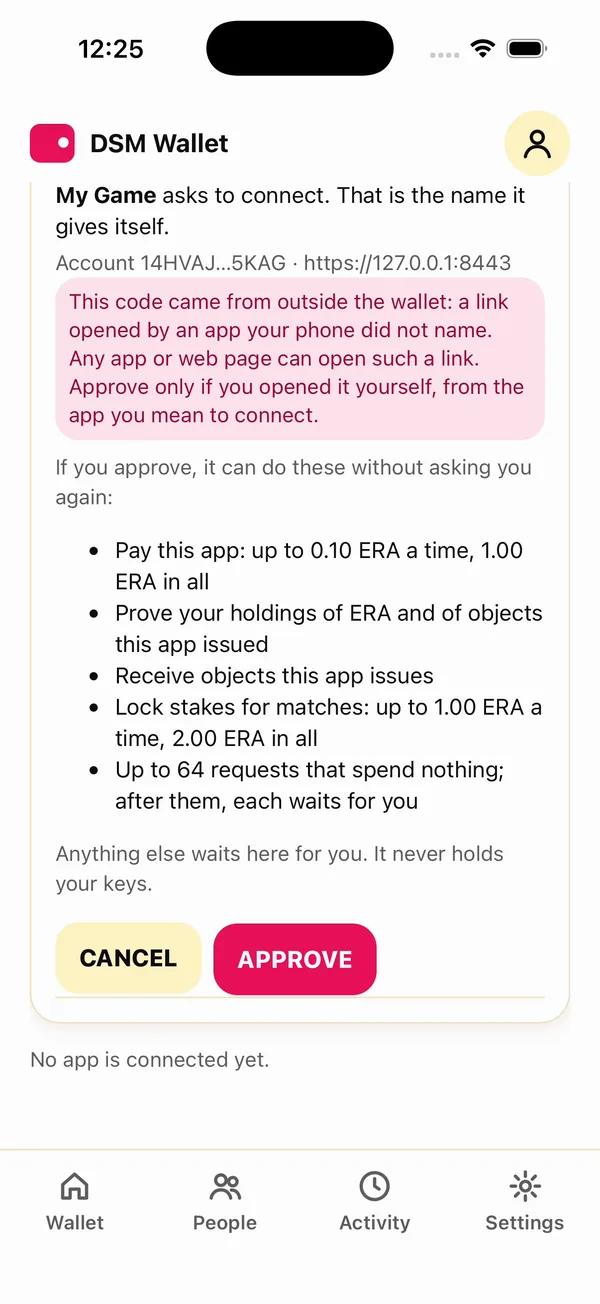
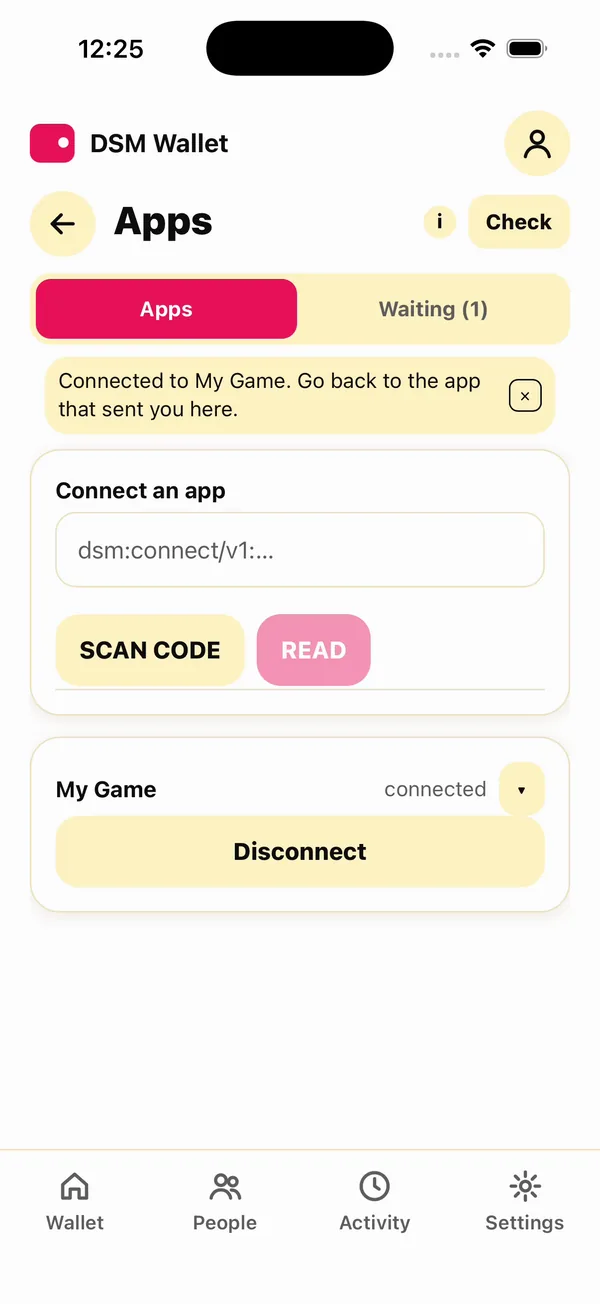
The red box says the code came from outside the wallet. Any app or web page on a phone can open such a link, so the wallet asks the player to approve only an offer they opened themselves, from the app they mean to connect.
These phones were recorded before the command line's offer asked to see contacts, so their lists are one line shorter than the one above.
What each side holds now
- The wallet holds a grant it can read and end at any time.
- Your account holds a connection to the wallet.
- No keys moved, and nothing was taken on the relay's word.
A wallet connects to an app once. To connect it again, it disconnects first (the next page ends with that), or a second wallet connects: DSM_WALLET_NAME=wallet2 dsm-dev-wallet up, then DSM_WALLET_NAME=wallet2 dsm-dev-wallet connect $CODE.
The whole page, as one script
With dsm-app up running, this makes the terminal wallet, the offer and the connection:
dsm-dev-wallet up
CODE=$(dsm-app offer 'My Game' ERA 0.10 1.00)
echo $CODE
dsm-dev-wallet connect "$CODE"
dsm-app connections
Next: Ask the wallet for things.
Ask the wallet for things
Your app asks a connected wallet for things. Inside the grant, it just happens. Outside it, the player decides. In every case, your own account checks the result.
Outcome and fact
Every request has two answers, and only one is evidence:
| Where it comes from | Use it for | |
|---|---|---|
| outcome | the wallet's word: carried_out, awaiting_approval, declined, failed | what to show the player while you wait |
| fact | what your own account established: received, owns, signed, staked, collected | deciding anything: delivering the item, logging the player in, crediting the sale |
received means your account has taken up a transfer the wallet sent. owns means a proof of what the wallet owns verified. signed means a signature checked. Code against the fact: the outcome tells you what the wallet said, and the fact tells you what happened.
The commands below use the terminal wallet from the last page. Each request gets a number on its connection, and result reads what became of it.
Note
On the beta network a request takes from a few seconds to about half a minute to settle: the wallet and your account each write to the storage nodes over the internet. Until it settles,
resultsays so:answered: no outcome: unanswered fact: none no transfer this account accepted answers it yet; an answer saying sent grants nothingRun it again a little later. The wallet also answers a connection's requests in order, so a request that waits for the player holds up the ones after it.
1. Find the connection
S=$(dsm-app connections | awk -v w="$(dsm-dev-wallet id)" '$4==w && $NF=="CONNECTED"{print $2}')
This puts the terminal wallet's connection id in $S: the line of connections whose wallet is your terminal wallet, and is connected.
2. A send inside the grant
Ask the wallet to send your account five hundredths of an ERA:
dsm-app send $S ERA 0.05
request 1
Once it settles:
dsm-app result $S 1
answered: yes  outcome: carried_out
fact: received  the transfer is accepted onto this account's relationship with the wallet
No prompt on the phone: 0.05 is inside the cap the player approved.
3. A send over the cap
Now 0.20 ERA, twice the cap per request:
dsm-app send $S ERA 0.20
request 2
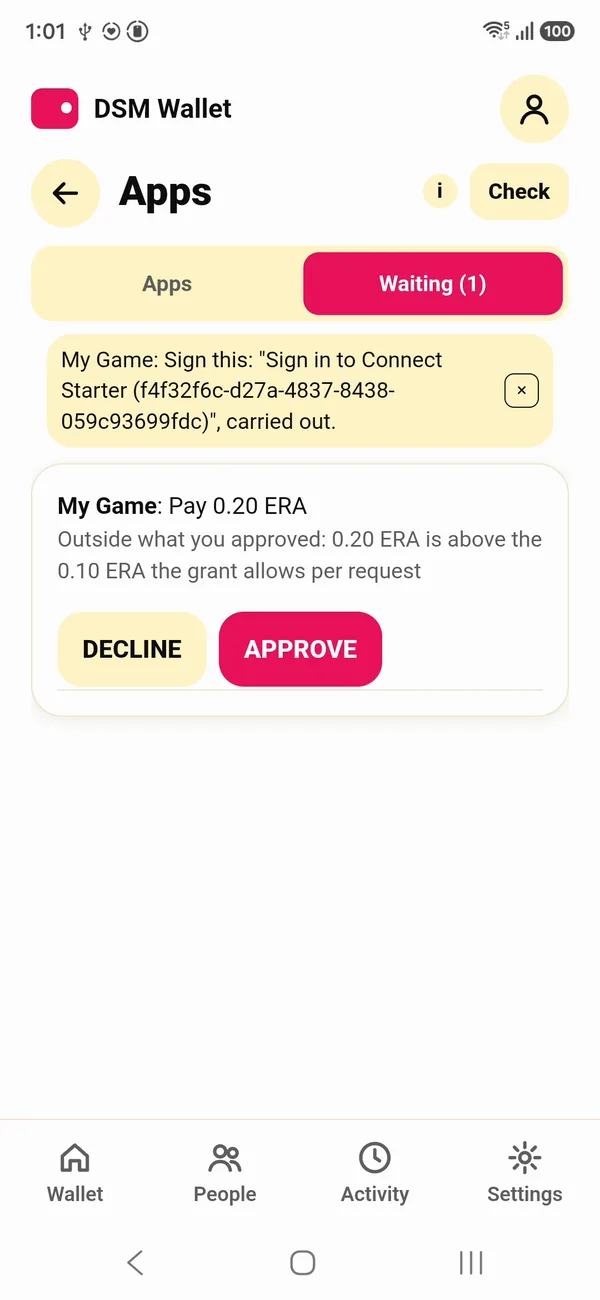
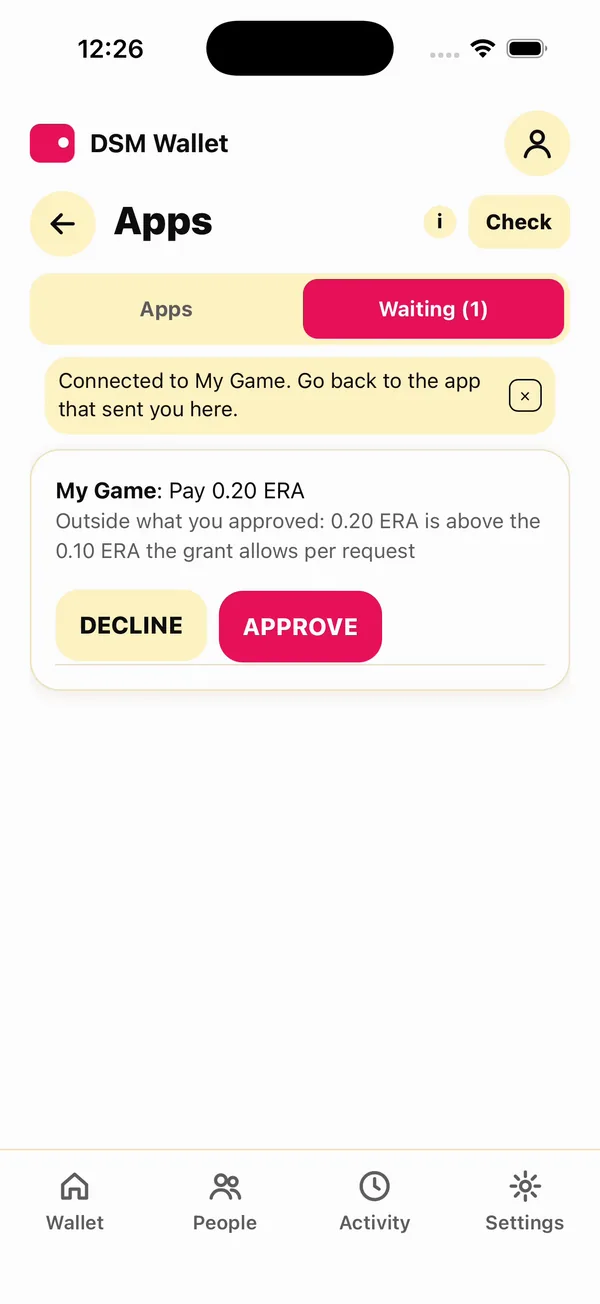
The wallet does not carry it out. It waits for the player, and says why:
dsm-dev-wallet pending
RKBQ40RXFBYWZCJ150X3XG32V7EQYPN1SDGV96VGGTCAQCJMCSTG 2  My Game: Send 0.20 ERA for dsm-app send
  why it waits: 0.20 ERA is above the 0.10 ERA the grant allows per request
If it says nothing waiting, the request has not reached the wallet yet: give it a moment. The player approves it, here in the terminal, or on the phone:
dsm-dev-wallet approve $S 2
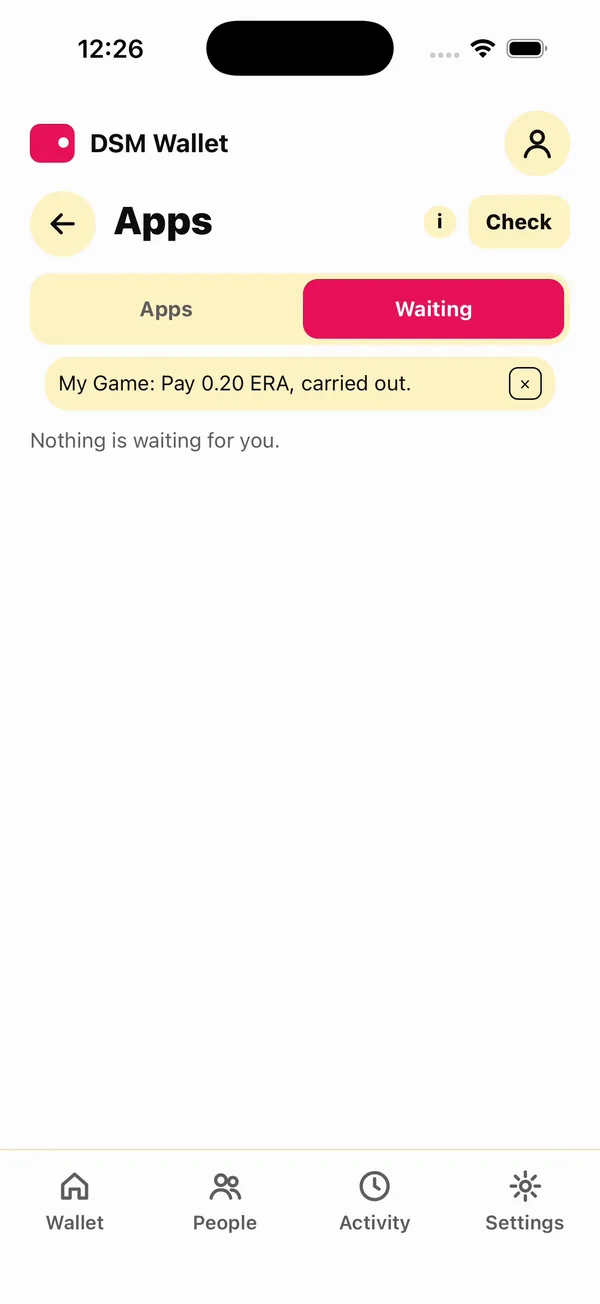
CARRIED_OUT: My Game: Send 0.20 ERA for dsm-app send, carried out.
Approving too early fails with request 2 is not waiting; list pending again first. About ten seconds later:
dsm-app result $S 2
answered: yes  outcome: carried_out
fact: received  the transfer is accepted onto this account's relationship with the wallet
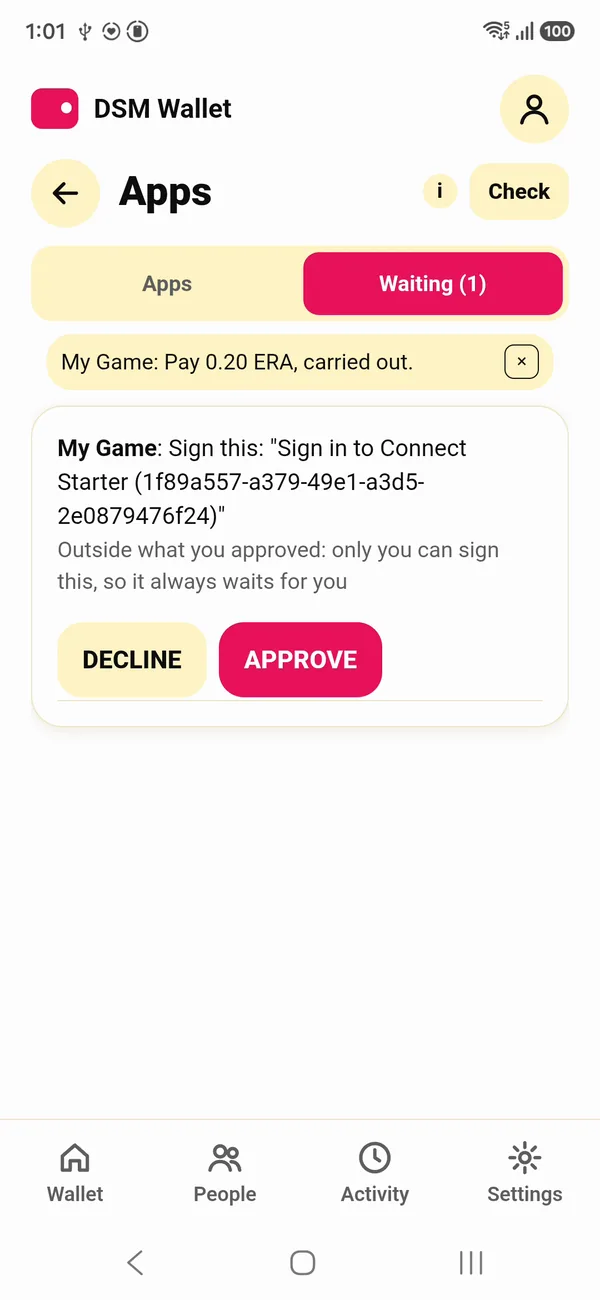
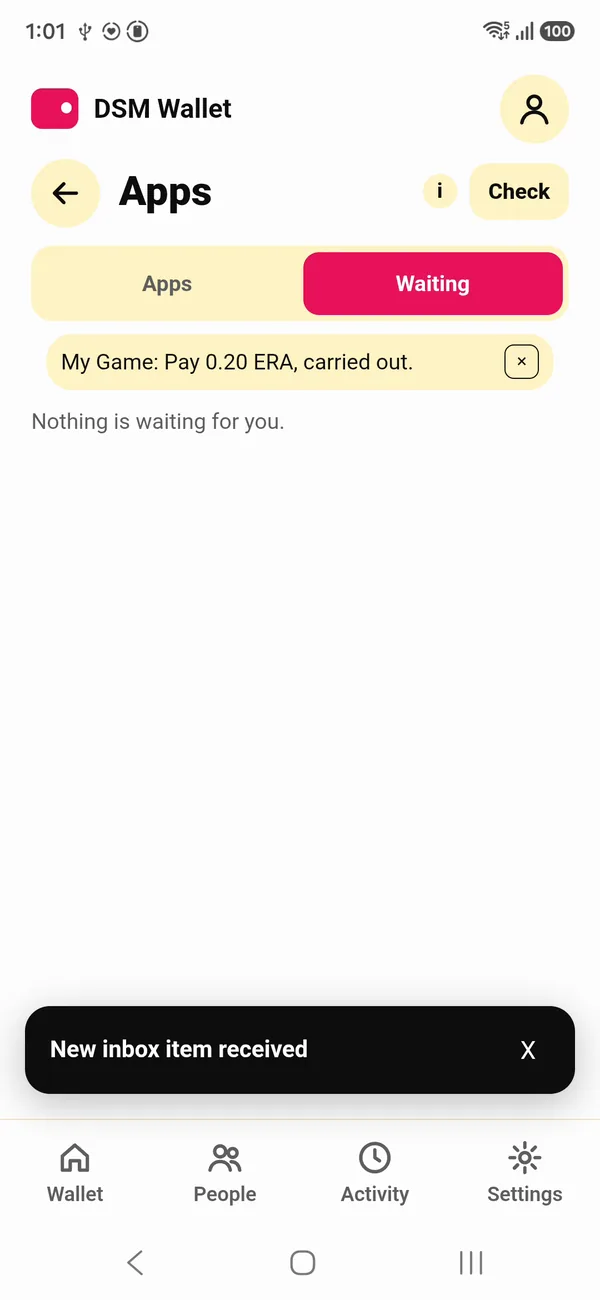
The same fact, one more step. On a phone, the request waits under Waiting, with the reason:
4. Prove what it owns
owns asks the wallet to prove what it holds of an object. The wallet builds a proof at its current position, and your account verifies it, not the wallet's say-so:
dsm-app owns $S ERA
request 3
dsm-app result $S 3
answered: yes  outcome: carried_out
fact: owns  proven at the wallet's position 3, whose next cell is still open
  owns 9975 of NNG176RZ6ACTWCDPRNYHXZK2DCZ72SPA9Q6XWGRGQ9JGKZYTESG0
The amount is in the object's smallest units, and the long id is ERA's: 9975 is 99.75 ERA after the two sends.
5. Sign in
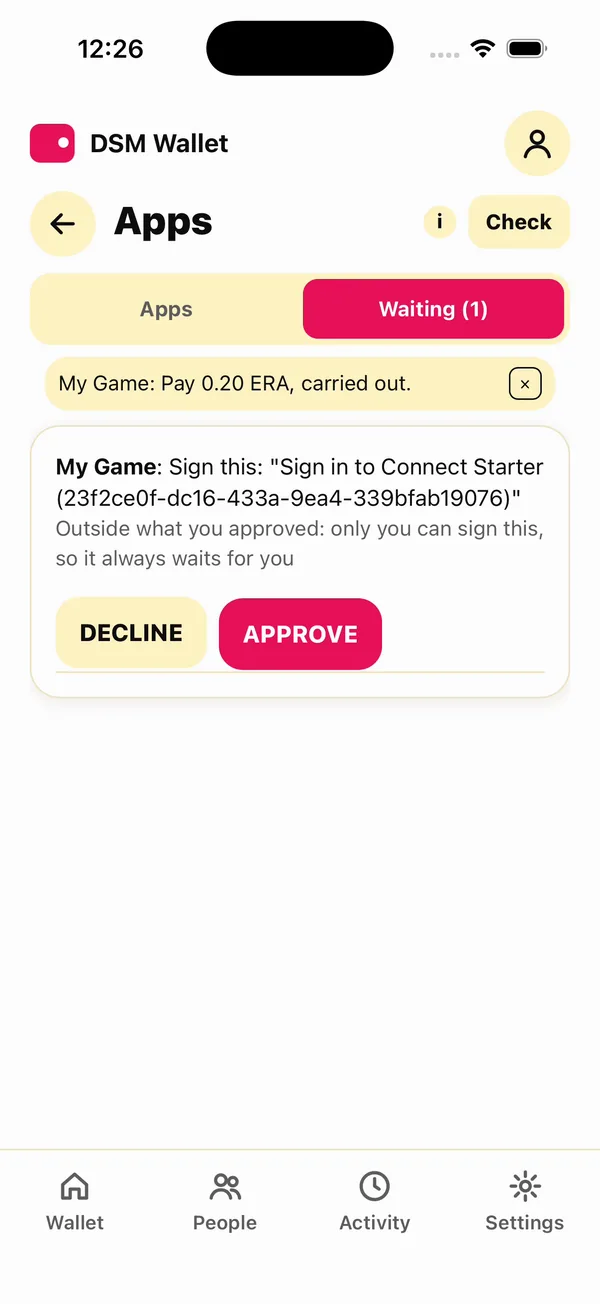
login is a sign-in. Your app makes a nonce and asks the wallet to sign "Sign in to", your app's name, and the nonce. It always waits for the player, because only they can sign:
dsm-app login $S
request 4: waits for the player to approve it on the device
Pending shows the exact words to be signed:
dsm-dev-wallet pending
RKBQ40RXFBYWZCJ150X3XG32V7EQYPN1SDGV96VGGTCAQCJMCSTG 4  My Game: Sign this: "Sign in to dsm-app (3a6b4e28-b931-4116-b53a-b1681d5aa7b3)"
  why it waits: only you can sign this, so it always waits for you
The player approves:
dsm-dev-wallet approve $S 4
CARRIED_OUT: My Game: Sign this: "Sign in to dsm-app (3a6b4e28-b931-4116-b53a-b1681d5aa7b3)", carried out.
dsm-app result $S 4
answered: yes  outcome: carried_out
fact: signed  the wallet signed these words after they were approved on its device: proof of its key, not of who pressed
  signed: Sign in to dsm-app (3a6b4e28-b931-4116-b53a-b1681d5aa7b3)
Your app compares the signed words with what it asked. That is a password, an authenticator code and a security key in one request, with nothing for you to store but the nonce.
6. Issue an object and give it
Your app issues an object: SHIELD, a one-of-a-kind item, supply 1. Your account holds it:
dsm-app issue SHIELD shield 1
issued SHIELD (unique, supply 1): C46M962T804B5XND8P2ASG4QK2VCB7SCGE5RNWRA4ST4112EK400
A wallet receives only what it has taken up itself, so your app asks it to accept the object:
dsm-app accept $S SHIELD
request 5
Give it a few seconds, then give it the shield:
dsm-app give $(dsm-dev-wallet id) SHIELD 1
sent
The transfer is final once sent; the wallet takes it up within seconds. Until then what it owns shows the shield at 0:
dsm-dev-wallet owned
ERA                 99.75   currency NNG176RZ6ACTWCDPRNYHXZK2DCZ72SPA9Q6XWGRGQ9JGKZYTESG0
SHIELD                  1   unique   C46M962T804B5XND8P2ASG4QK2VCB7SCGE5RNWRA4ST4112EK400
dBTC           0.00000000   currency 0EJ2PSRS2YQR8BR77P3WZ92SV12VJT7XP6NWP0SH5P8MWD81C8H0
The item is the player's now. They can send it on in the wallet, and your app still sees who holds it with owns.
SHIELD's supply is 1, so it can be given once. Run this page again on the same account and issue answers with the same SHIELD, but give fails: the account no longer holds it (balance underflow on debit (insufficient funds)).
7. Disconnect
dsm-dev-wallet disconnect $S
connection RKBQ40RXFBYWZCJ150X3XG32V7EQYPN1SDGV96VGGTCAQCJMCSTG  My Game  DISCONNECTED
  grants: Send this app: up to 0.10 ERA a time, 1.00 ERA in all
  grants: Prove what you own of ERA and of objects this app issued
  grants: Receive objects this app issues
  grants: See which of your contacts are here: their DSM IDs, not their names
  grants: Lock stakes for matches: up to 1.00 ERA a time, 2.00 ERA in all
  grants: 2 of 64 requests that spend nothing used
  used:   0.05 of 2.00 ERA
The grant ends, and the connection shows DISCONNECTED on your side too. used counts what went through the grant: the 0.05. The 0.20 the player approved by hand is not in it. A wallet that wants to connect again does it with a new offer.
The same, on the starter's page
Everything above is a piece on the starter's page. Pick the wallet, pick what to ask, and the code under it is the call; Ask makes it:
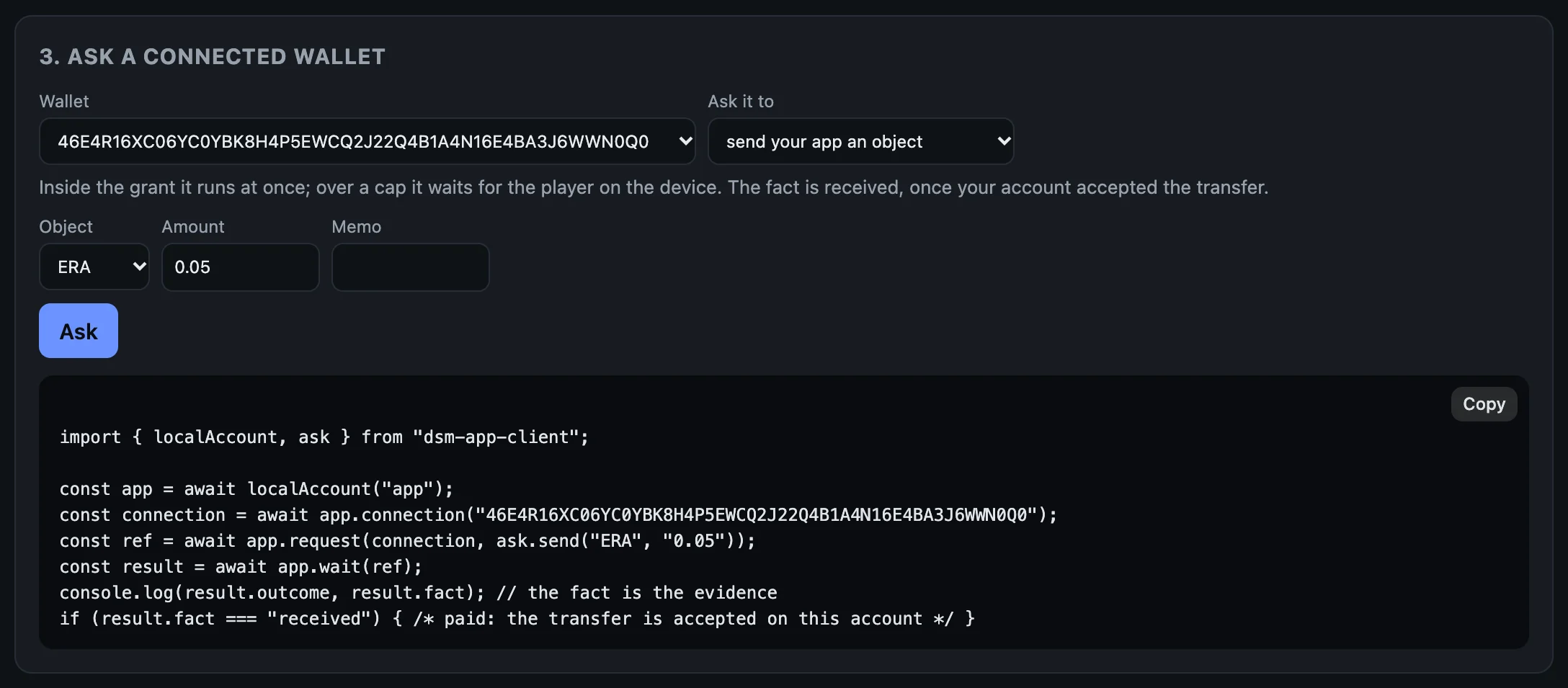
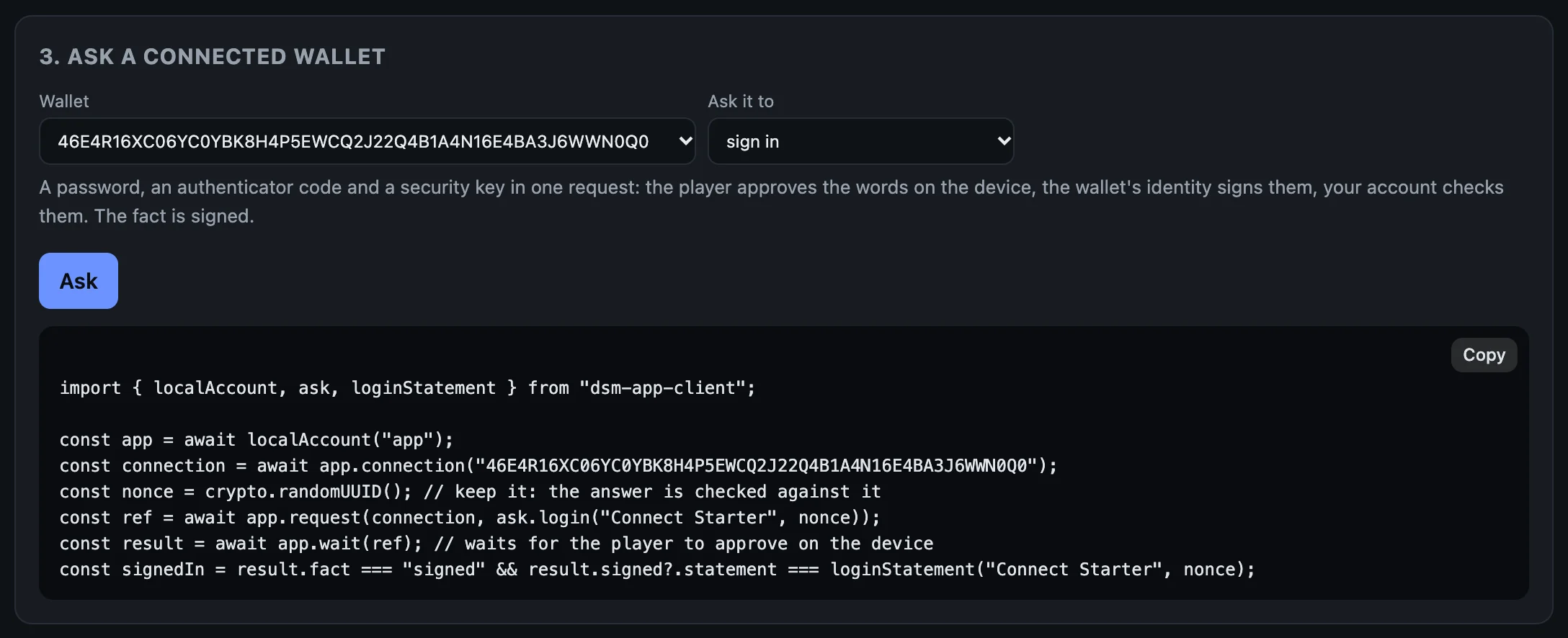
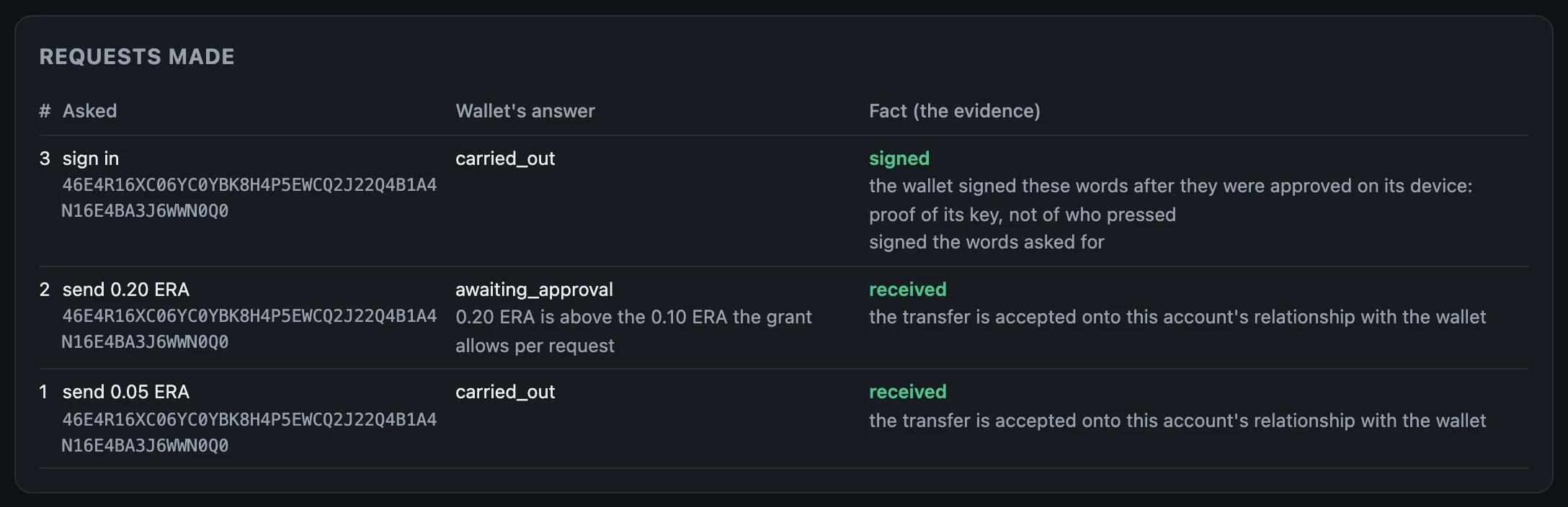
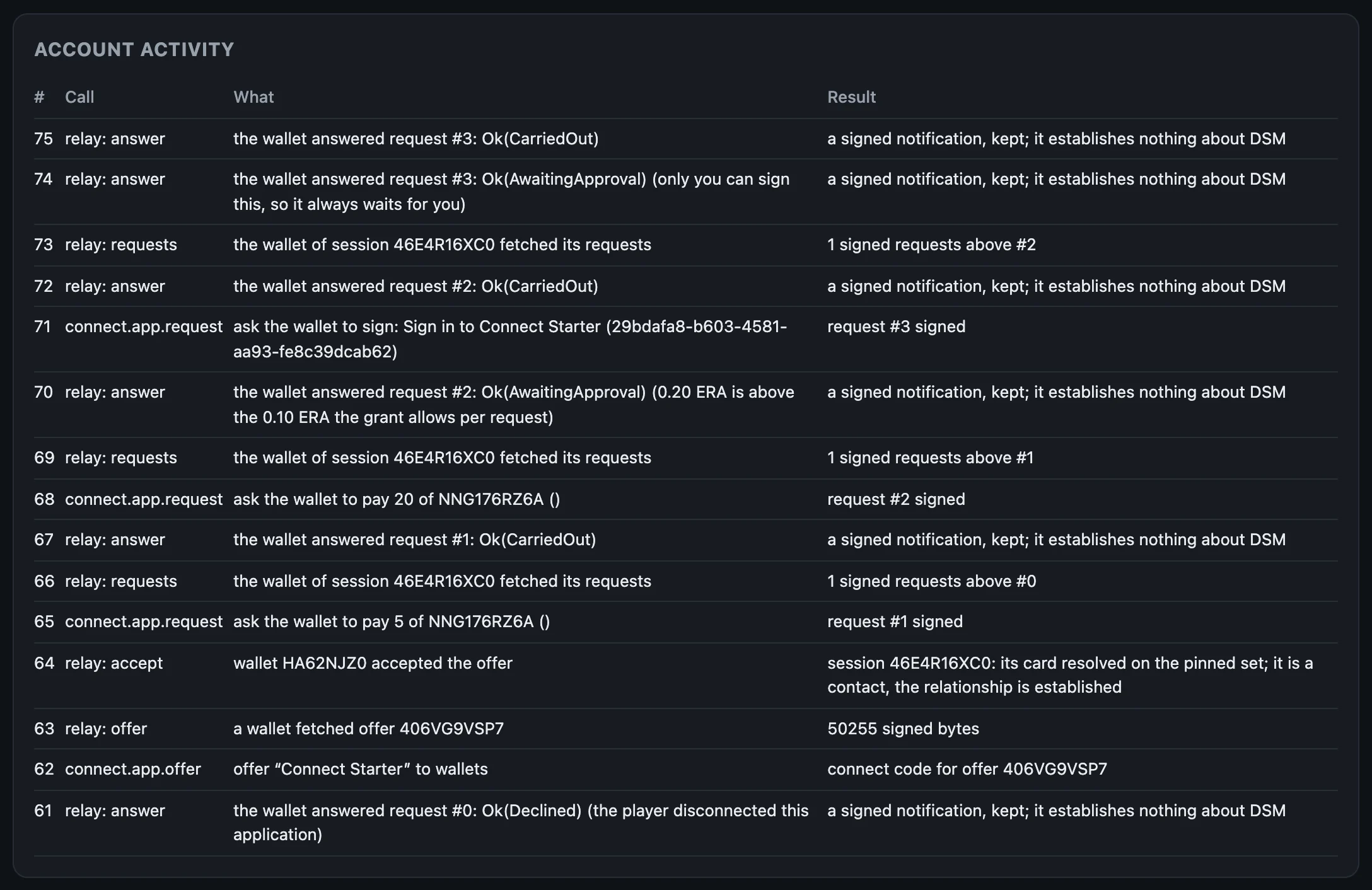
The page keeps a table of what it asked. Here: a send inside the grant, one over it (the player approved it in the terminal), and a sign-in, each with the wallet's answer and the fact your account established:
received, received, signed.And the account's activity, read from the ingress: every call your app made, and every time the wallet fetched its requests or answered one through the relay:
What to keep from this page
- Log the facts, not the outcomes.
- Show players what you asked for and what they approved.
- Trust nothing the relay says. Your account already checked.
The whole page, as one script
With the terminal wallet connected from the last page, this runs every step above, waiting for each request to settle before reading it, and approving as the player:
S=$(dsm-app connections | awk -v w="$(dsm-dev-wallet id)" '$4==w && $NF=="CONNECTED"{print $2}')
dsm-app send $S ERA 0.05
until dsm-app result $S 1 | grep -q "^fact: received"; do sleep 3; done
dsm-app result $S 1
dsm-app send $S ERA 0.20
until dsm-dev-wallet pending | grep -q "why it waits"; do sleep 3; done
dsm-dev-wallet pending
dsm-dev-wallet approve $S 2
until dsm-app result $S 2 | grep -q "^fact: received"; do sleep 3; done
dsm-app result $S 2
dsm-app owns $S ERA
until dsm-app result $S 3 | grep -q "^fact: owns"; do sleep 3; done
dsm-app result $S 3
dsm-app login $S
until dsm-dev-wallet pending | grep -q "Sign this"; do sleep 3; done
dsm-dev-wallet pending
dsm-dev-wallet approve $S 4
until dsm-app result $S 4 | grep -q "^fact: signed"; do sleep 3; done
dsm-app result $S 4
dsm-app issue SHIELD shield 1
dsm-app accept $S SHIELD
until dsm-app result $S 5 | grep -q "^answered: yes"; do sleep 3; done
dsm-app give $(dsm-dev-wallet id) SHIELD 1
until dsm-dev-wallet owned | grep -Eq "^SHIELD +1 "; do sleep 3; done
dsm-dev-wallet owned
dsm-dev-wallet disconnect $S
Next: Write it into your app.
Write it into your app
Everything the command line did, your app does with a client: JavaScript or TypeScript on Node.js 20 or later, or Python 3.10 or later. Both are generated from the same schema and use the same words: offer, connections, request, result, wait; issue, give; owned, owns. Requests are built with ask.*, and what an offer asks for with grant.*.
Your app needs a server side, even a small one, because the account's secret must never reach a browser page. The starter is one server file, and a page.
This page has the whole of an app, twice: the same program in JavaScript and in Python. Each makes an offer, waits for a wallet to connect to it, takes a payment, gives the player 100 gems of its own coin, and signs the player in. Copy either one whole. Both ran, as written, against an account on the beta network, and their output is below them.
The whole program, in JavaScript
One file, my-game.mjs. Save it in your app's folder, where the TypeScript client is installed (the account page):
// SPDX-License-Identifier: MIT OR Apache-2.0
//
// My Game, plugged into DSM, in one file: a connect code, a wallet that
// connects to it, a payment, gems handed over, and a sign-in. It talks to the
// account `make app-dev` runs.
//
//   npm install
//   node my-game.mjs

import { ask, grant, localAccount } from "dsm-app-client";

const app = await localAccount("app");

// The wallets connected before this run, so the one that connects now stands out.
const before = new Set((await app.connections()).map((c) => c.id));

// 1. The offer: what My Game may do without asking the player again.
const offer = await app.offer({
  name: "My Game",
  grants: [grant.send("ERA", "0.10", "1.00"), grant.owns(["ERA"]), grant.accept()],
});
console.log(`connect code: ${offer.code}`);
console.log("waiting for a wallet to connect to it...");

// 2. A wallet connects: scanned on a phone, or `make dev-wallet-connect CODE=...`.
let player;
for (;;) {
  player = (await app.connections()).find((c) => c.connected && !before.has(c.id));
  if (player !== undefined) break;
  await new Promise((resolve) => setTimeout(resolve, 1000));
}
console.log(`wallet ${player.peer} connected`);

// 3. 0.05 ERA, inside the grant, so the player is not asked again.
const paid = await app.wait(await app.request(player, ask.send("ERA", "0.05", "100 gems")));
console.log(`payment: outcome ${paid.outcome}, fact ${paid.fact}`);
if (paid.fact !== "received") process.exit(1);

// 4. Your own coin. Issuing it again with the same terms answers with the
//    same coin, so this runs again and again. The wallet accepts it, then
//    your account gives.
const gems = await app.issue({ symbol: "GEMS", name: "Gems", supply: "1000000" });
await app.wait(await app.request(player, ask.accept(gems)), { until: "answered" });
await app.give(player, gems, "100");
console.log(`gave 100 ${gems.symbol}`);

// 5. A sign-in. It always waits for the player to approve it on the device.
console.log("sign-in asked: approve it on the device");
const login = await app.wait(await app.request(player, ask.login("My Game")));
console.log(`sign-in: outcome ${login.outcome}, fact ${login.fact}`);
if (login.fact === "signed") console.log(`signed: ${login.signed.statement}`);
It is plain JavaScript, so node runs it with no build step, and it is valid TypeScript too. With dsm-app up running:
node my-game.mjs
(From the repo, it is in guide/examples/my-game, whose package.json depends on the client in the clone: npm install, then the same node my-game.mjs.)
It prints a connect code and waits. In a second terminal, connect a wallet to it: dsm-dev-wallet connect followed by the code, or scan it on a phone. (A wallet connects to an app once: if the terminal wallet is still connected from the earlier pages, dsm-dev-wallet disconnect $S first, or connect a second one with DSM_WALLET_NAME=wallet2 dsm-dev-wallet up, then DSM_WALLET_NAME=wallet2 dsm-dev-wallet connect <the code>.) When the program asks for the sign-in, approve it as on the last page: dsm-dev-wallet pending shows the connection and the request's number, and dsm-dev-wallet approve <connection> <number> approves it.
What it printed:
connect code: dsm:connect/v1:18B6GX3ME1SKMBSF64S3EBHG5RR2WC9T70T38CRJ41QXQJEH1V239MWMG2Q6RPQ5SJ4RD3XP78QK4KMD5G86Z5SCMB2MY6H0B03M69RKFDWBCDNTWZR7KEK2HJ0Y9JYVD945TPAJW7719A4HNYWG
waiting for a wallet to connect to it...
wallet EKJMVVEGD8KFQNP2DP8XJ0QFNSZTV5V7MHZKQZ0N7097WPG8ZPV0 connected
payment: outcome carried_out, fact received
gave 100 GEMS
sign-in asked: approve it on the device
sign-in: outcome carried_out, fact signed
signed: Sign in to My Game (a45c78b0-3774-466d-aee8-98cbdf2b9b49)
The wallet then owned the 100 GEMS:
ERA                 98.95   currency NNG176RZ6ACTWCDPRNYHXZK2DCZ72SPA9Q6XWGRGQ9JGKZYTESG0
GEMS                  100   currency 4K53KPP5HCKG2NK0CRM8H888R3YYT7ACQ00BB7S6C5VVEQFNR670
dBTC           0.00000000   currency 0EJ2PSRS2YQR8BR77P3WZ92SV12VJT7XP6NWP0SH5P8MWD81C8H0
The same program, in Python
my_game.py. Save it in your app's folder too:
#!/usr/bin/env python3
# SPDX-License-Identifier: MIT OR Apache-2.0
"""My Game, plugged into DSM, in one file: a connect code, a wallet that
connects to it, a payment, gems handed over, and a sign-in. It talks to the
account `make app-dev` runs.

    python3 guide/examples/my_game.py
"""

import sys
import time

from dsm_app_client import ask, grant, local_app


def main() -> int:
    app = local_app()

    # The wallets connected before this run, so the one that connects now stands out.
    before = {c.id for c in app.connections()}

    # 1. The offer: what My Game may do without asking the player again.
    offer = app.offer("My Game", [grant.send("ERA", "0.10", "1.00"), grant.owns(["ERA"]), grant.accept()])
    print(f"connect code: {offer.code}", flush=True)
    print("waiting for a wallet to connect to it...", flush=True)

    # 2. A wallet connects: scanned on a phone, or `make dev-wallet-connect CODE=...`.
    while True:
        new = [c for c in app.connections() if c.connected and c.id not in before]
        if new:
            player = new[0]
            break
        time.sleep(1)
    print(f"wallet {player.peer} connected", flush=True)

    # 3. 0.05 ERA, inside the grant, so the player is not asked again.
    paid = app.wait(app.request(player, ask.send("ERA", "0.05", "100 gems")))
    print(f"payment: outcome {paid.outcome}, fact {paid.fact}", flush=True)
    if paid.fact != "received":
        return 1

    # 4. Your own coin. Issuing it again with the same terms answers with the
    #    same coin, so this runs again and again. The wallet accepts it, then
    #    your account gives.
    gems = app.issue("GEMS", "Gems", "1000000")
    app.wait(app.request(player, ask.accept(gems)), until="answered")
    app.give(player, gems, "100")
    print(f"gave 100 {gems.symbol}", flush=True)

    # 5. A sign-in. It always waits for the player to approve it on the device.
    print("sign-in asked: approve it on the device", flush=True)
    login = app.wait(app.request(player, ask.login("My Game")))
    print(f"sign-in: outcome {login.outcome}, fact {login.fact}", flush=True)
    if login.fact == "signed" and login.signed is not None:
        print(f"signed: {login.signed[0]}", flush=True)
    return 0


if __name__ == "__main__":
    sys.exit(main())
With the Python client in the virtual environment from the account page:
. .venv/bin/activate
python3 my_game.py
Connect a wallet to the code it prints, and approve the sign-in, as above. What it printed:
connect code: dsm:connect/v1:18B6GX3ME1SKMBSF64S3EBHG5RR2WC9T70T38CRJ41QXQJEH1V239MWMG2Q6RPQ5SJ4RD3XP78QK4KMD5G86Z5SCMB2MY6H0V8KS5P8628JH2QR3BJ8Y97KTTFCQPFZ9NYH3AQN6PQZZP8XKEANG
waiting for a wallet to connect to it...
wallet HA62NJZ06ZY8C79HKM39AGTC3CMX9348RJH30GZTHA00BCSP0KV0 connected
payment: outcome carried_out, fact received
gave 100 GEMS
sign-in asked: approve it on the device
sign-in: outcome carried_out, fact signed
signed: Sign in to My Game (ef80f587-b7e4-4041-9088-d2b554da1071)
This run came after the JavaScript one, on the same account: issuing GEMS a second time answered with the same coin, and the account gave from what it still held.
Your account at a glance
The install put two more Python programs in ~/.local/share/dsm/examples: first_payment.py, a connect code and one payment received (the newcomer check, make first-run, runs it on a clean Ubuntu), and account_status.py:
#!/usr/bin/env python3
# SPDX-License-Identifier: MIT OR Apache-2.0
"""Your application's account at a glance: its identity, what it owns, every
connected wallet, and the latest activity. Runs against `dsm-app up` (from the repo, `make app-dev`)."""

from dsm_app_client import local_app


def main() -> None:
    app = local_app()
    print(f"account {app.id()}")
    for o in app.owned():
        print(f"  {o.object.symbol:<8} {o.display:>16}   {o.object.kind}")
    connections = app.connections()
    print(f"{len(connections)} connection(s) with wallets")
    for c in connections:
        state = "connected" if c.connected else "disconnected"
        print(f"  connection {c.id}  wallet {c.peer}  {state}")
        for line in c.grants:
            print(f"    may: {line}")
    for e in app.ingress.activity(0).entries[-5:]:
        print(f"  {e.seq}  {e.name}  {e.summary}")


if __name__ == "__main__":
    main()
python3 ~/.local/share/dsm/examples/account_status.py
On the account from these pages, it began:
account 0RHS9YDRSPR9PG9WESBX7PMGAVMEJSSVSC11QSD4NG4JPKY3XQ80
  ERA                 60.60   currency
  GEMS               999800   currency
  GOLD            999000.00   currency
  SHIELD                  0   unique
  dBTC           0.00000000   currency
6 connection(s) with wallets
  connection 46E4R16XC06YC0YBK8H4P5EWCQ2J22Q4B1A4N16E4BA3J6WWN0Q0  wallet HA62NJZ06ZY8C79HKM39AGTC3CMX9348RJH30GZTHA00BCSP0KV0  disconnected
    may: Send this app: up to 0.10 ERA a time, 1.00 ERA in all
    may: Prove what you own of ERA and of objects this app issued
    may: Receive objects this app issues
    may: Lock stakes for matches: up to 1.00 ERA a time, 2.00 ERA in all
and went on with every other connection, and the latest activity.
Every piece, in either language
On the starter's page, the switch at the top shows every piece's code in Python instead of TypeScript. Here are the offer and the sign-in:
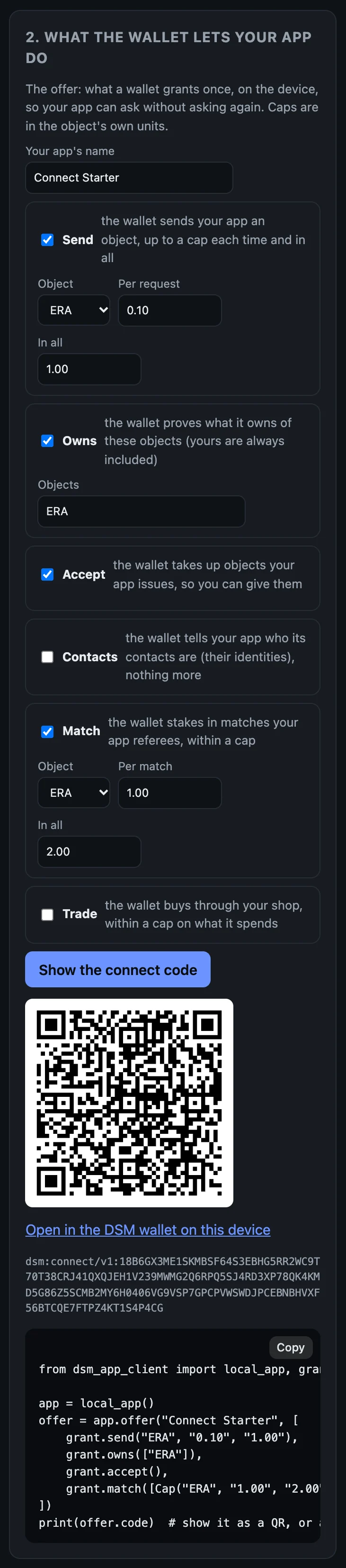
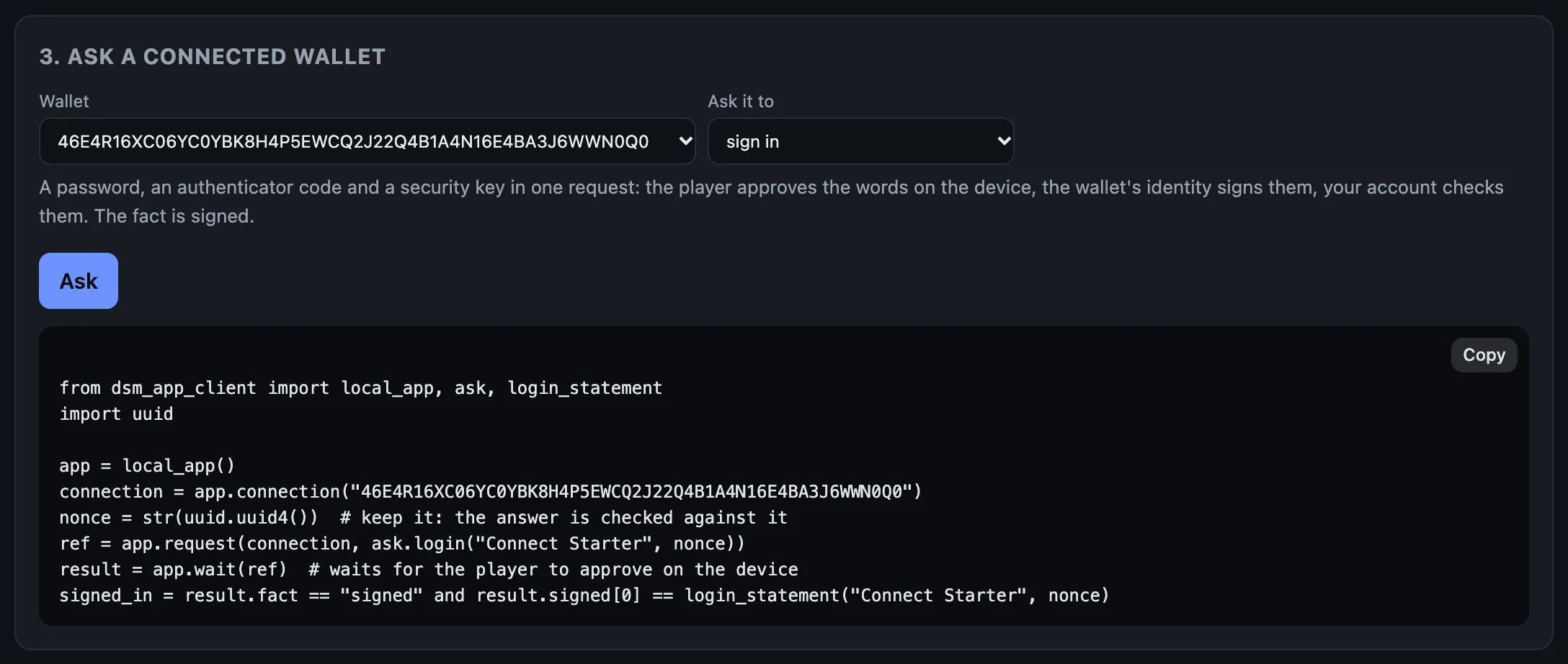
login_statement.In your own app
JavaScript or TypeScript. npm install the client's package (~/.local/share/dsm/clients/dsm-app-client-0.1.0-beta.4.tgz) into your app, as the account page did; its types are inside it, so nothing is compiled. localAccount("app") finds the account dsm-app up runs by looking for the .dsm-dev folder above the folder you run in. From anywhere else, name it: DSM_DEV_DIR=/path/to/your/app/.dsm-dev. On a server of your own, open the account from the ingress's address and the secret file the host writes: new AppAccount(await Ingress.fromSecretFile(url, secretFile)).
Python. pip install the client's wheel (~/.local/share/dsm/clients/dsm_app_client-0.1.0b4-py3-none-any.whl) into your app's virtual environment. local_app() finds the account the same way, and DSM_DEV_DIR names it from anywhere else. On a server of your own: AppAccount(Ingress.from_secret_file(url, secret_file)).
From a clone of the repo, the clients are clients/typescript (depend on it by path) and clients/python (pip install -e clients/python); both carry their generated types, so neither needs protoc.
Any other language
Generate types from proto/dsm_app.proto, and send an IngressRequest (a RouterInvokeOp or RouterQueryOp: the route's name and an ArgPack holding its request message) to POST /ingress. An IngressResponse comes back: either an error, or 0x03 followed by an Envelope. clients/typescript/src/ingress.ts is the whole exchange, in one short file. The routes are in the reference.
Objects
Everything an account can hold is an object: ERA, a sword, a ticket, a coin you issued. A currency is an object counted in units; an item is an object of which exactly one exists. You name an object by its symbol ("ERA", "GEMS") or by its id, and amounts in its own units ("0.10", "100"); your account converts them, in both directions, so no client carries the unit rule. issue makes a new object, and your account then holds its whole supply. Issued again with the same terms, it answers with the same object. give hands some to a wallet that has accepted it.
Next, when you want it: Shops, matches and contacts.
Shops, matches and contacts
Three things your app can do beyond payments and sign-ins: run a shop of its own, where wallets buy your coin; referee matches, where two wallets stake and your key decides; and read a wallet's contacts.
This page carries on from the last ones. Your app's account and the terminal wallet are running, and the wallet disconnected at the end of Ask the wallet for things. The output below is from one run on the beta network.
A shop of your own
reserve→vault
your account's→ERA
reserve
A shop is a vault your account opens between two objects, funded from what it holds: so much of your coin on one side, so much ERA on the other. Wallets trade against it through your account, and every trade moves the reserves. There is no order book, and no counterparty but the vault. The fee on each trade is yours to set; the command line's vaults charge 0.30%.
On the starter's page, issuing a coin and opening a shop are the first pieces, each with its code:
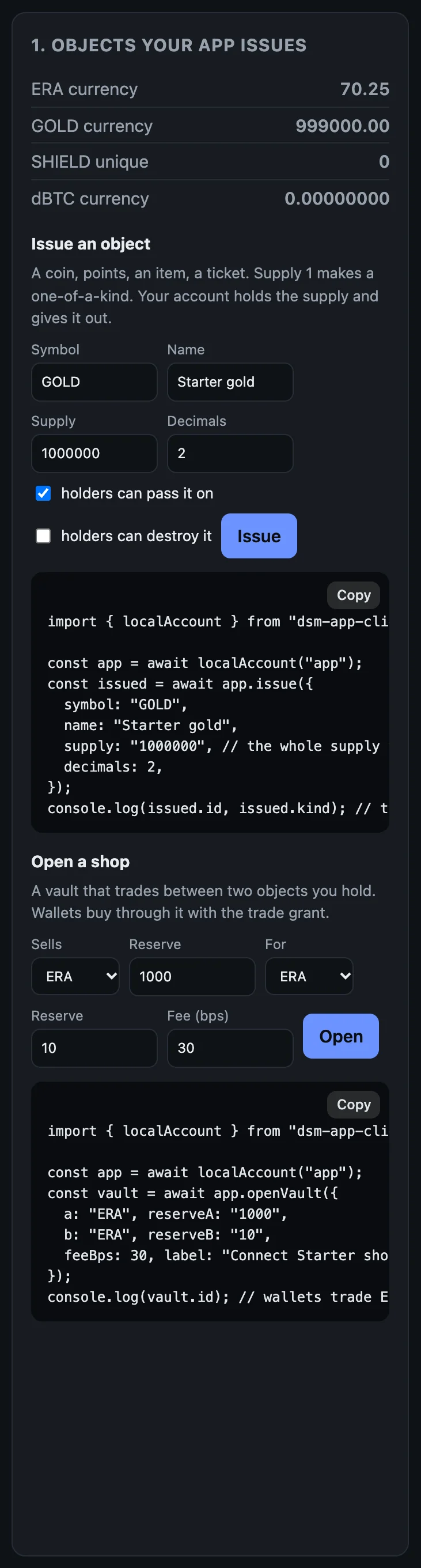
1. Issue a coin, open a vault
Your app issues GOLD, a coin with two decimal places and a million in supply. Your account holds all of it:
dsm-app issue GOLD 'Starter gold' 1000000 2
issued GOLD (currency, supply 1000000.00): 89S6HVVW03FRJZBNTR8M62ACZ56J0A09QJQ0ZCFDA3EHRB5KER1G
Then it opens a vault: a thousand GOLD on one side, ten ERA on the other.
dsm-app vault GOLD 1000 ERA 10
vault 41ab586aaf3258f93bda09966b67eaa235dc0df3aa131eb56ffb2529a7e52eee: 1000.00 GOLD, 10.00 ERA
vaults lists it, with its id and its reserves:
dsm-app vaults
vault 41ab586aaf3258f93bda09966b67eaa235dc0df3aa131eb56ffb2529a7e52eee GOLD/ERA 1000.00 GOLD, 10.00 ERA active
2. Connect with a trade grant
When offer names a coin after the caps, it also asks to trade: to sell the wallet that coin for ERA through your vault, up to 1.00 ERA a trade and 5.00 in all.
CODE=$(dsm-app offer 'My Game' ERA 0.10 1.00 GOLD)
dsm-dev-wallet connect "$CODE"
My Game (account 0RHS9YDRSPR9PG9WESBX7PMGAVMEJSSVSC11QSD4NG4JPKY3XQ80) asks to:
  - Send this app: up to 0.10 ERA a time, 1.00 ERA in all
  - Prove what you own of ERA and of objects this app issued
  - Receive objects this app issues
  - See which of your contacts are here: their DSM IDs, not their names
  - Lock stakes for matches: up to 1.00 ERA a time, 2.00 ERA in all
  - Trade between ERA and 89S6HVVW: up to 1.00 ERA a time, 5.00 ERA in all
  - Up to 64 requests that spend nothing; after them, each waits for you
approved:
connection 97MSN2P9S07FVAFFBPNGW2GRPBAJQM3113MJG03V60MTAP4HBWW0  My Game  CONNECTED
  grants: Send this app: up to 0.10 ERA a time, 1.00 ERA in all
  grants: Prove what you own of ERA and of objects this app issued
  grants: Receive objects this app issues
  grants: See which of your contacts are here: their DSM IDs, not their names
  grants: Lock stakes for matches: up to 1.00 ERA a time, 2.00 ERA in all
  grants: Trade between ERA and 89S6HVVW: up to 1.00 ERA a time, 5.00 ERA in all
  grants: 0 of 64 requests that spend nothing used
The wallet names your coin by the start of its id, 89S6HVVW. The new connection's id goes in $S again:
S=$(dsm-app connections | awk -v w="$(dsm-dev-wallet id)" '$4==w && $NF=="CONNECTED"{print $2}')
3. Price
price asks what half an ERA would get in GOLD through your vaults:
dsm-app price $S ERA GOLD 0.50
request 1
dsm-app result $S 1
answered: yes  outcome: carried_out
fact: none  a price is information and carries no authority
  price: 50 in, 4748 out (smallest units, 1 hop)
Half an ERA would get 47.48 GOLD. A price is information, never a fact: it can move before the trade.
4. Trade
dsm-app trade $S ERA GOLD 0.50 95
trade makes three requests in a row, and prints each step. The wallet accepts GOLD first, because a wallet receives only what it has taken up itself. Then your account prices the trade. Then it asks the wallet to trade half an ERA for no less than 95% of that price:
priced: 0.50 ERA gets 4748 of GOLD (smallest units); asking for at least 4510
request 4
About ten seconds later:
dsm-app result $S 4
answered: yes  outcome: carried_out
fact: none  a trade shows through this account's own vault (sofi.vaults) or a later proof of what it owns; the answer is a notification
The wallet's answer is a notification. The evidence of a trade is in your own vault, and in what the wallet owns:
dsm-dev-wallet owned
ERA                 99.25   currency NNG176RZ6ACTWCDPRNYHXZK2DCZ72SPA9Q6XWGRGQ9JGKZYTESG0
GOLD                47.48   currency 89S6HVVW03FRJZBNTR8M62ACZ56J0A09QJQ0ZCFDA3EHRB5KER1G
SHIELD                  1   unique   C46M962T804B5XND8P2ASG4QK2VCB7SCGE5RNWRA4ST4112EK400
dBTC           0.00000000   currency 0EJ2PSRS2YQR8BR77P3WZ92SV12VJT7XP6NWP0SH5P8MWD81C8H0
dsm-app vaults
vault 41ab586aaf3258f93bda09966b67eaa235dc0df3aa131eb56ffb2529a7e52eee GOLD/ERA 952.52 GOLD, 10.50 ERA active
The wallet bought 47.48 GOLD for 0.50 ERA, and the vault's reserves moved: a little more ERA, a little less GOLD.
A match your app referees
stakes→your key
decides A, B or void→side B
stakes against A
A match is two stakes that share one verdict. Side A stakes; side B stakes against side A's stake, so the two are tied. Your account's key decides: A, B, or void. The winner's wallet collects. Each wallet builds its stake's terms itself, from the match you describe: your request names no branch, no signer and no recipient, so your app cannot send the money anywhere but where the rules say.
5. A second player
A match needs two wallets. Start a second one, funded from the faucet like the first, and connect it:
DSM_WALLET_NAME=wallet2 dsm-dev-wallet up
CODE2=$(dsm-app offer 'My Game' ERA 0.10 1.00 GOLD)
DSM_WALLET_NAME=wallet2 dsm-dev-wallet connect $CODE2
It prints the same list as the first wallet, and its own connection. Its id goes in $S2:
S2=$(dsm-app connections | awk -v w="$(DSM_WALLET_NAME=wallet2 dsm-dev-wallet id)" '$4==w && $NF=="CONNECTED"{print $2}')
6. Both stake
Side A stakes one ERA on "match 1", against the second wallet:
dsm-app stake $S $S2 'match 1' ERA 1.00 A
request 5
On the first wallet's connection this is request 5: the price and the trade's three came first.
dsm-app result $S 5
answered: yes  outcome: carried_out
fact: staked  the wallet's vault MEJC8VVA holds the stake under the match's terms, Active on its verdict cell
  stake a3a4c46f6a3bc93ea5a37fde3ace814ac482a4eb33da21ce420defa953680930
  verdict cell 4348b438633afdcbdeddb108e1b2be177d35e1886189863f9e939e6d42130970  amount 100
The fact is staked, and the result prints the stake's id. Keep it:
A=$(dsm-app result $S 5 | awk '/^ stake /{print $2; exit}')
Side B stakes the same, passing side A's stake as the one it stakes against, so both share the verdict:
dsm-app stake $S2 $S 'match 1' ERA 1.00 B $A
request 1
dsm-app result $S2 1
answered: yes  outcome: carried_out
fact: staked  the wallet's vault JR65R02N holds the stake under the match's terms, Active on its verdict cell
  stake 960c5c0055233b430a8e5a92a8a0244c022ecd2b3b36f0755b6d592c05dc28c5
  verdict cell 4348b438633afdcbdeddb108e1b2be177d35e1886189863f9e939e6d42130970  amount 100
The two stakes name the same verdict cell. Keep the second id too:
B=$(dsm-app result $S2 1 | awk '/^ stake /{print $2; exit}')
Each wallet's cap, one ERA a match and two in all, is what its player agreed to.
7. Decide and collect
Your app decides for A:
dsm-app decide $A A
decided: a-wins state 4
Then it asks side A's wallet to collect both stakes:
dsm-app collect $S $A $B
request 6
Until the wallet has collected, the result says so:
answered: no  outcome: unanswered
fact: none  vault MEJC8VVA is not released yet; an answer saying collected grants nothing
About fifteen seconds later:
dsm-app result $S 6
answered: yes  outcome: carried_out
fact: collected  each vault is Retired and its cell's final verdict (a-wins, a-wins) pays the wallet
  stake a3a4c46f6a3bc93ea5a37fde3ace814ac482a4eb33da21ce420defa953680930
  stake 960c5c0055233b430a8e5a92a8a0244c022ecd2b3b36f0755b6d592c05dc28c5
  verdict cell 4348b438633afdcbdeddb108e1b2be177d35e1886189863f9e939e6d42130970  amount 0
dsm-dev-wallet owned
ERA                100.25   currency NNG176RZ6ACTWCDPRNYHXZK2DCZ72SPA9Q6XWGRGQ9JGKZYTESG0
GOLD                47.48   currency 89S6HVVW03FRJZBNTR8M62ACZ56J0A09QJQ0ZCFDA3EHRB5KER1G
SHIELD                  1   unique   C46M962T804B5XND8P2ASG4QK2VCB7SCGE5RNWRA4ST4112EK400
dBTC           0.00000000   currency 0EJ2PSRS2YQR8BR77P3WZ92SV12VJT7XP6NWP0SH5P8MWD81C8H0
The winner's wallet owns 100.25 ERA: its own stake back, and the other's. Each stake sat in a vault of its own wallet, under the match's terms. The match cost your account nothing, and your key only chose the branch.
Contacts
contacts asks the wallet who its contacts are. The player granted it when connecting, and your app gets their DSM identities and nothing more: no names, no numbers, no photos.
dsm-app contacts $S
request 7
dsm-app result $S 7
answered: yes  outcome: carried_out
fact: none  contacts are the wallet's word: who its owner keeps, never proof of anything
Duels
A duel is a match that a program decides instead of your key, from both players' signed moves, with no referee. The client's ask.duel helpers carry the setup, the readies, the signed moves and the settlement; the setup and the moves are built with the program's own library (for the program in this repo, crates/wildstate-duel-wasm). This guide does not walk through one.
The whole page, as one script
With dsm-app up running and the terminal wallet disconnected, this runs every step above, waiting for each request to settle before reading it. Each run opens another vault from your account's ERA.
dsm-app issue GOLD 'Starter gold' 1000000 2
dsm-app vault GOLD 1000 ERA 10
dsm-app vaults
CODE=$(dsm-app offer 'My Game' ERA 0.10 1.00 GOLD)
dsm-dev-wallet connect "$CODE"
S=$(dsm-app connections | awk -v w="$(dsm-dev-wallet id)" '$4==w && $NF=="CONNECTED"{print $2}')
dsm-app price $S ERA GOLD 0.50
until dsm-app result $S 1 | grep -q "^answered: yes"; do sleep 3; done
dsm-app result $S 1
dsm-app trade $S ERA GOLD 0.50 95
until dsm-app result $S 4 | grep -q "^answered: yes"; do sleep 3; done
dsm-app result $S 4
dsm-dev-wallet owned
dsm-app vaults
DSM_WALLET_NAME=wallet2 dsm-dev-wallet up
CODE2=$(dsm-app offer 'My Game' ERA 0.10 1.00 GOLD)
DSM_WALLET_NAME=wallet2 dsm-dev-wallet connect $CODE2
S2=$(dsm-app connections | awk -v w="$(DSM_WALLET_NAME=wallet2 dsm-dev-wallet id)" '$4==w && $NF=="CONNECTED"{print $2}')
dsm-app stake $S $S2 'match 1' ERA 1.00 A
until dsm-app result $S 5 | grep -q "^fact: staked"; do sleep 3; done
dsm-app result $S 5
A=$(dsm-app result $S 5 | awk '/^  stake /{print $2; exit}')
dsm-app stake $S2 $S 'match 1' ERA 1.00 B $A
until dsm-app result $S2 1 | grep -q "^fact: staked"; do sleep 3; done
dsm-app result $S2 1
B=$(dsm-app result $S2 1 | awk '/^  stake /{print $2; exit}')
dsm-app decide $A A
dsm-app collect $S $A $B
until dsm-app result $S 6 | grep -q "^fact: collected"; do sleep 3; done
dsm-app result $S 6
dsm-dev-wallet owned
dsm-app contacts $S
until dsm-app result $S 7 | grep -q "^answered: yes"; do sleep 3; done
dsm-app result $S 7
Next: Run your app's account in production.
Run your app's account in production
dsm-app up runs your app's account for you while you develop. In production you run the same program, dsm-app-host, yourself, beside your server.
Get it
The install from Set up your machine put it in ~/.local/bin. On a server, install it where your service manager runs it from; DSM_PREFIX names the place (/usr/local/bin/dsm-app-host here):
curl -fsSLO https://github.com/deterministicstatemachine/dsm/releases/download/v0.1.0-beta.4/install.sh
sudo DSM_PREFIX=/usr/local sh install.sh
From the repo instead, build it:
cargo build --release --locked -p dsm-app-host
The program is then target/release/dsm-app-host.
Run it
The command, with your own paths and names in place of myapp's:
dsm-app-host \
  --data-dir /var/lib/myapp/dsm \
  --ingress-secret-dir /run/myapp/dsm-ingress \
  --env-config /etc/myapp/dsm_env_config.toml \
  --game-bind 127.0.0.1:8787 \
  --relay-bind 0.0.0.0:8443 \
  --relay-endpoint https://dsm.myapp.example:8443 \
  --relay-name dsm.myapp.example
| Flag | What it is |
|---|---|
--data-dir | The account: its state and RECOVERY_MNEMONIC. The first start creates the account and writes the mnemonic there (mode 0600). |
--ingress-secret-dir | Where each launch writes a new ingress secret, ingress-token. It must be apart from the data directory: your app gets the secret and nothing of the account. |
--env-config | The network's storage set, each member with its own certificate authority. The wallet's own is dsm_client/frontend/public/dsm_env_config.toml. For the beta network, --network beta instead: the host carries that file and uses it, as dsm-app up does. |
--game-bind | The ingress your server calls. Loopback only; anything else is refused. |
--relay-bind, --relay-endpoint, --relay-name | Where wallets reach your account. The host makes its own TLS certificate for these names, and every connect code pins it, so you need no certificate authority. |
The first lines it logs name the relay and its certificate pin, the ingress, and where this launch's secret is. Your server opens the account from the ingress's address and that secret file: new AppAccount(await Ingress.fromSecretFile(url, secretFile)) in TypeScript, AppAccount(Ingress.from_secret_file(url, secret_file)) in Python.
What protects it, and what does not
- The ingress listens on loopback only. Every call needs the launch's secret as
Authorization: Bearer <secret>, must name the ingress as itsHost, and may come from no other web origin. A web page on the same machine can neither read the secret nor send it. - Wallets reach the relay over TLS pinned by the connect code. The relay carries messages; nothing it carries is evidence.
- A grant caps what your app can take from a wallet, per request and in total. Anything outside it waits for the player, on their device.
Caution
Your account is a hot wallet.
RECOVERY_MNEMONICis a file in the data directory, and the host reads it on every start. Whoever can read it, or holds root on the machine, controls the account. Anything holding the ingress secret can move everything the account holds; the host has no spending policy of its own. Keep on it only what it needs to work with, sweep the rest to an account you keep elsewhere, back up the mnemonic offline, and lock the machine down like any server that holds money.
Next, if you want your own network: A storage set of your own.
A storage set of your own
Everything in this guide runs on the beta network, which is already there. If you would rather depend on no hosted node, run the network's storage set yourself, on your machine: the network's five pinned members, dsm-node-1 to dsm-node-5, as five local nodes. Each is the production storage node program, on its own PostgreSQL database, serving TLS from a certificate authority of the set's own. Nothing then reaches outside your machine.
1. PostgreSQL
The set keeps each node's data on a PostgreSQL server on this machine, reached as your own login.
macOS. Homebrew's server already has a role named after your login, and takes it on localhost:
brew install postgresql@17 && brew services start postgresql@17
Linux. The server takes your login over its socket once it has a role of that name:
sudo apt install -y postgresql && sudo service postgresql start
sudo -u postgres createuser -s "$(id -un)"
PostgreSQL must run with fsync=on and full_page_writes=on, which are the defaults.
2. Your app's account on your set
An account exists only on the set it was made on. If you made accounts on the beta network with the earlier pages, forget them first:
make dev-reset
Then start the set and your app's account on it:
make app-dev-local
make dev-wallet, make dev-wallet2 and the rest follow your account to the set it is on.
3. The nodes
make app-dev-local starts the nodes. These manage them:
make nodes-status
make nodes-down
make nodes-up
nodes-status checks every node's health over verified TLS. nodes-down stops the nodes, and nodes-up prepares the set the first time and starts every node, on ports 8080 to 8084. make nodes-reset stops them, drops their databases, and forgets the set and the accounts made on it.
Everything the set needs lives under .dsm-dev/net/ in the repo, including the client config wallets use, dsm_env_config.toml, which trusts the set's dev-ca.pem.
4. The phones
Point the wallet on your phones at your set: every adb device (through adb reverse) and every booted iOS Simulator. Debug builds only:
make phones-local
A wallet that already made its identity on another set keeps it there, so clear the app's data first. On Android, adb shell pm clear com.dsm.wallet, then grant its Bluetooth permissions again; on iOS, delete the app and run make ios-simulator-run. The same holds after make nodes-reset: it makes a new set with a new certificate authority, so clear the wallets and run make phones-local again, or they refuse every node (invalid peer certificate).
Back to the beta network
make dev-reset
This forgets the accounts on this machine, and your local set if they were on it. The next make app-dev makes new ones on the beta network.
Next: Grants, commands and routes.
Apps plugged into DSM
These apps are plugged into DSM today. Each kept its own server and its own logic, added a DSM account of its own, and lets its users connect their DSM wallets to it. Their code is public, in Irrefutable Labs' repositories.
| App | What it is | What DSM does in it |
|---|---|---|
| Wildstate | A creature-collecting game for Android | The coin and every creature are objects in the player's own wallet; the shop, the market and staked matches run through it |
| OpenBoxes for DSM | The open-source warehouse and inventory system | Custody: a stock change stands only when DSM recorded it; staff sign in with their wallet; a carrier takes custody on a phone |
| CBFpy for DSM | A prototype AI with a body | Every step it takes is a DSM transition, decided by rules, and anyone can audit the chain from public keys |
Wildstate
Wildstate is a creature-collecting game for Android: walk the camp, catch creatures in the tall grass, battle trainers, buy capsules, trade at the market, and fight other players in the arena. Walking, encounters, battles and dialogue run on the game's own server and never touch DSM. What a player owns lives in their DSM wallet.
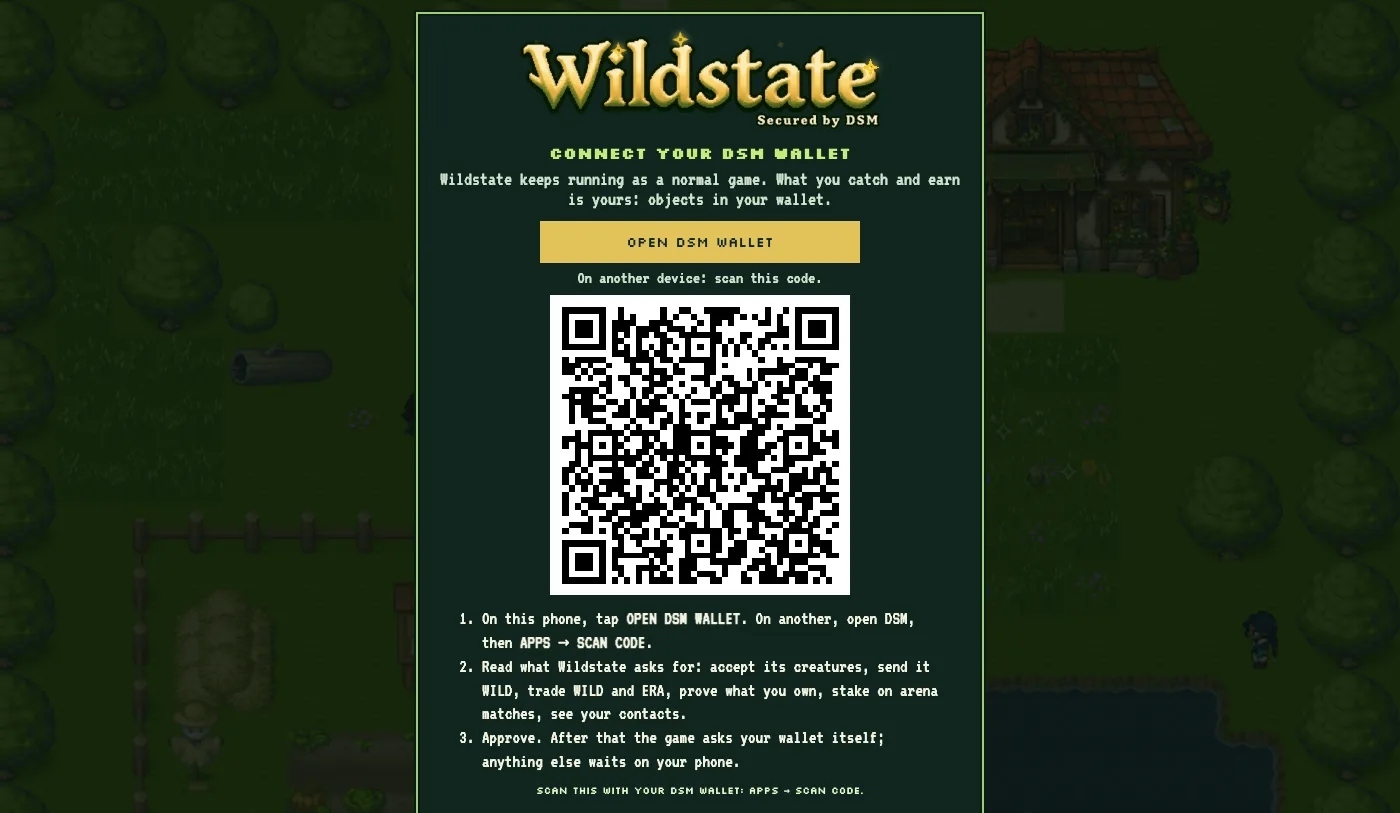
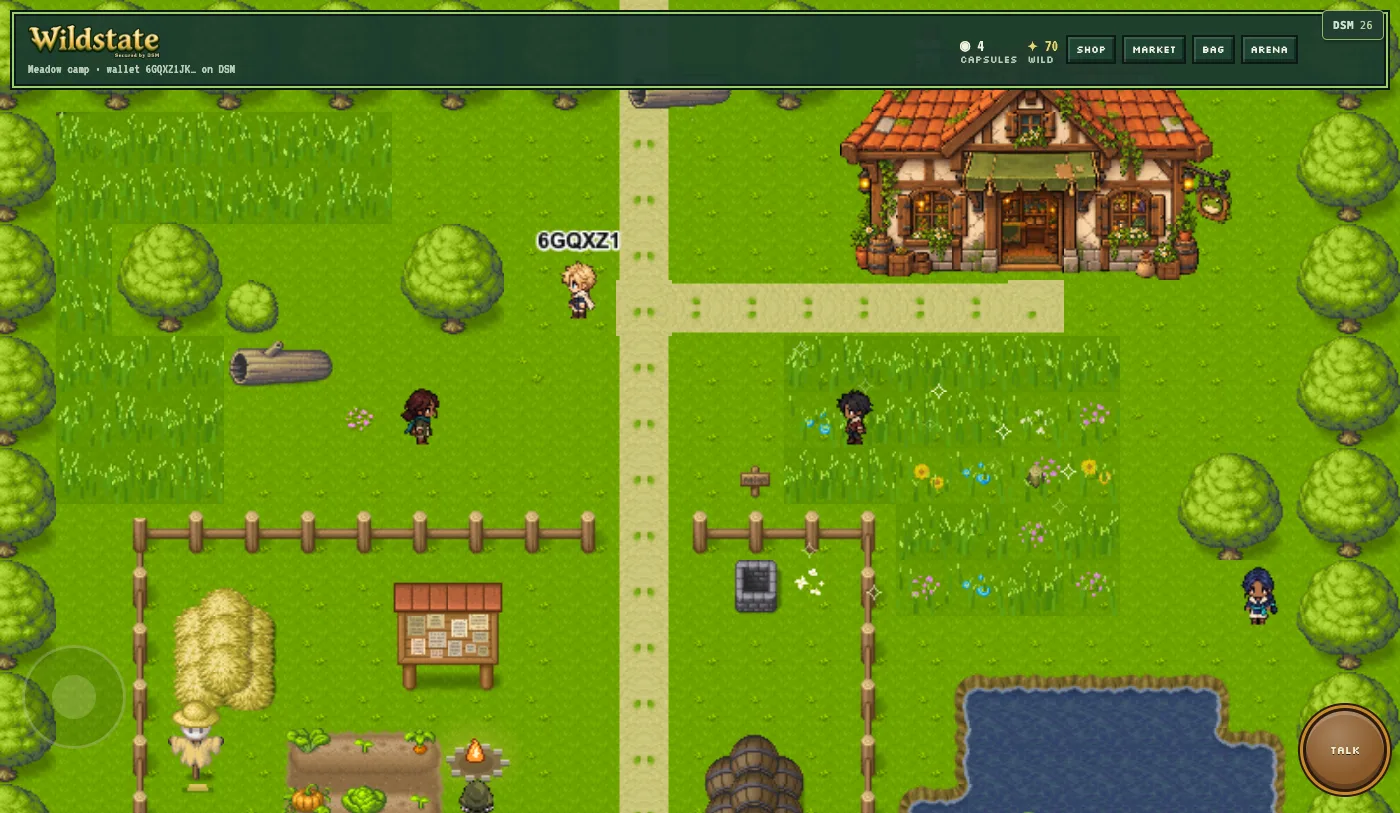
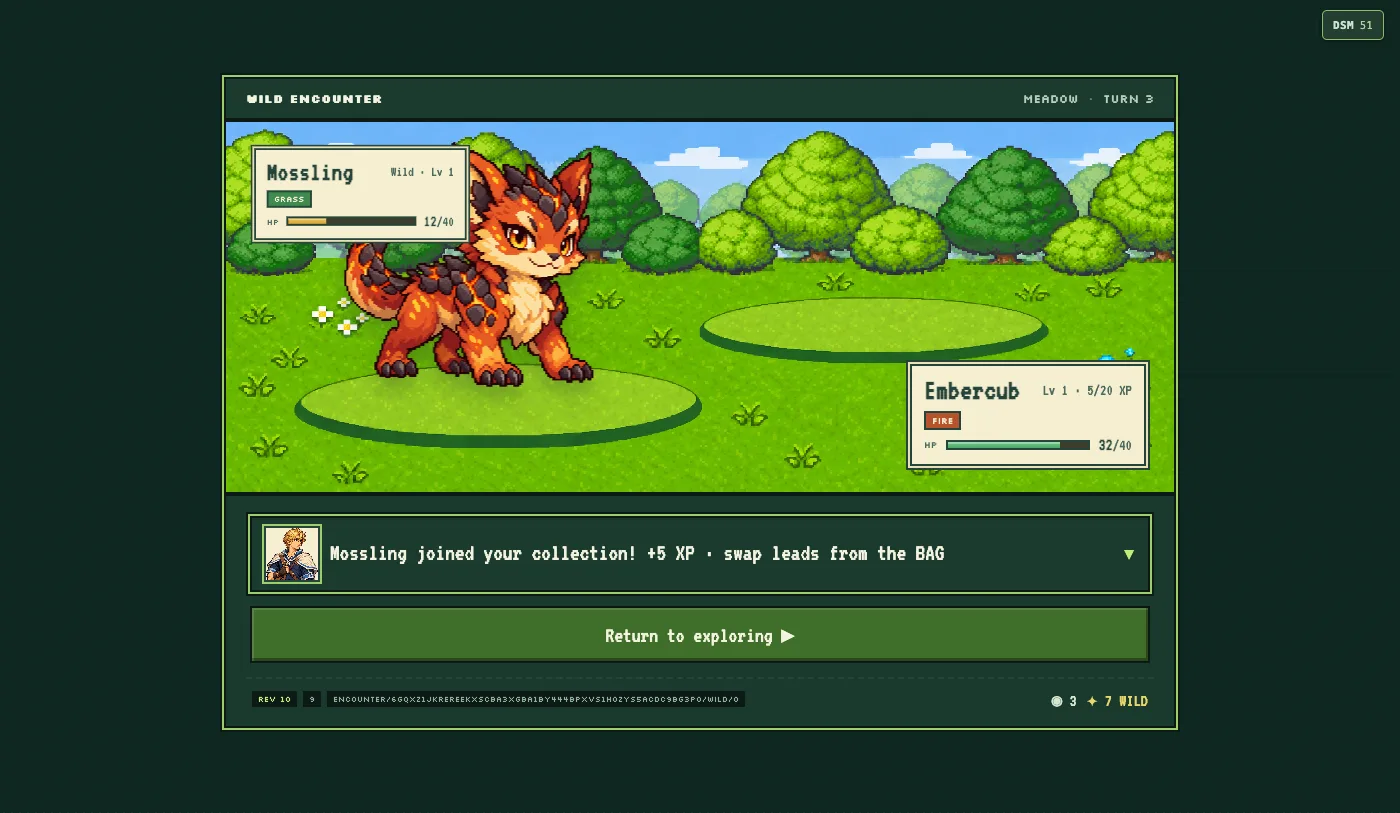
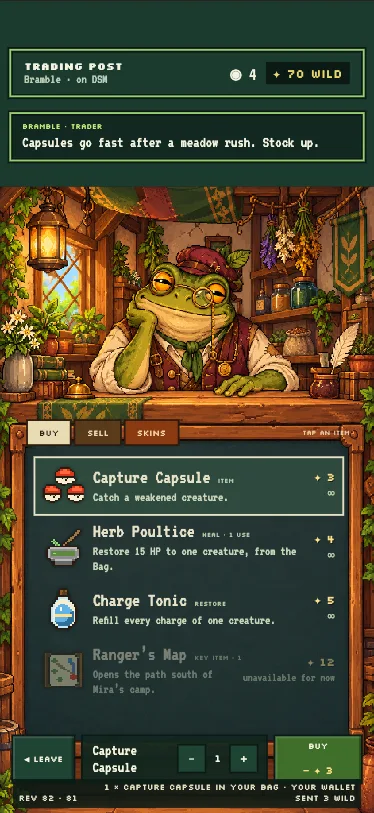
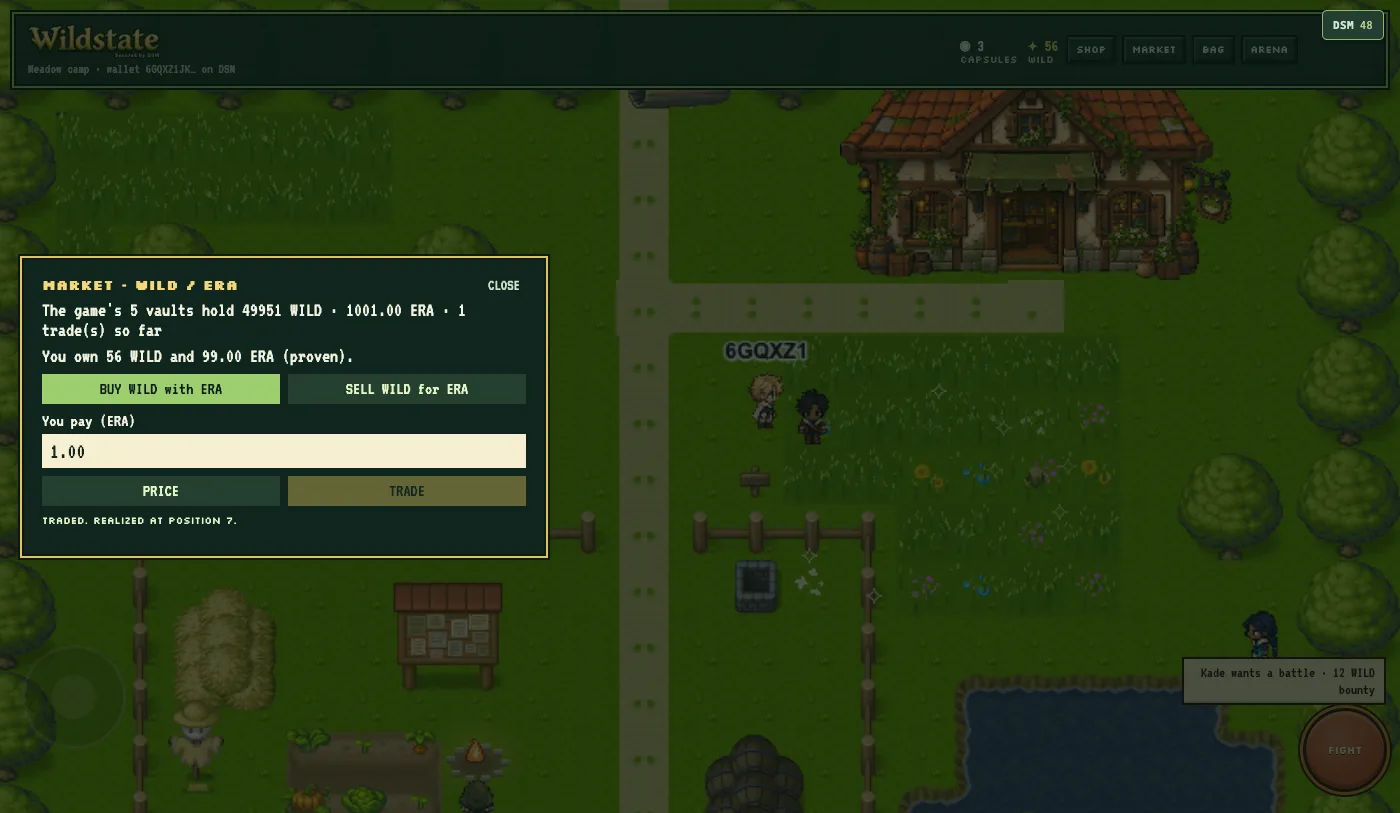
In the game:
- WILD, the game's coin, is an object the game's account issued, with a fixed supply. The game pays players in it: a starting amount when they connect, and a bounty for each trainer beaten.
- Every creature is an object of which exactly one exists, issued by the game's account at the capture. It names the game as its issuer, its species and its capture number; its HP, XP and charges are game data kept against it.
- The shop is paid through the wallet. A capsule is granted only when the wallet's 3 WILD has arrived on the game's own account; a message saying "paid" grants nothing.
- Coins and the roster come from proofs of what the wallet owns, which the game's account checks itself.
- The market is a WILD/ERA vault the game's account funds, and players trade with it from inside the game.
- The arena's staked matches are decided by a pinned program, not by a referee. Each wallet locks its own stake, and the winner takes both. The program is
wildstate-duel, in this repository. - Pressing DSM in the game shows one timeline: what ran on the game server, and every call the game's account made on DSM.
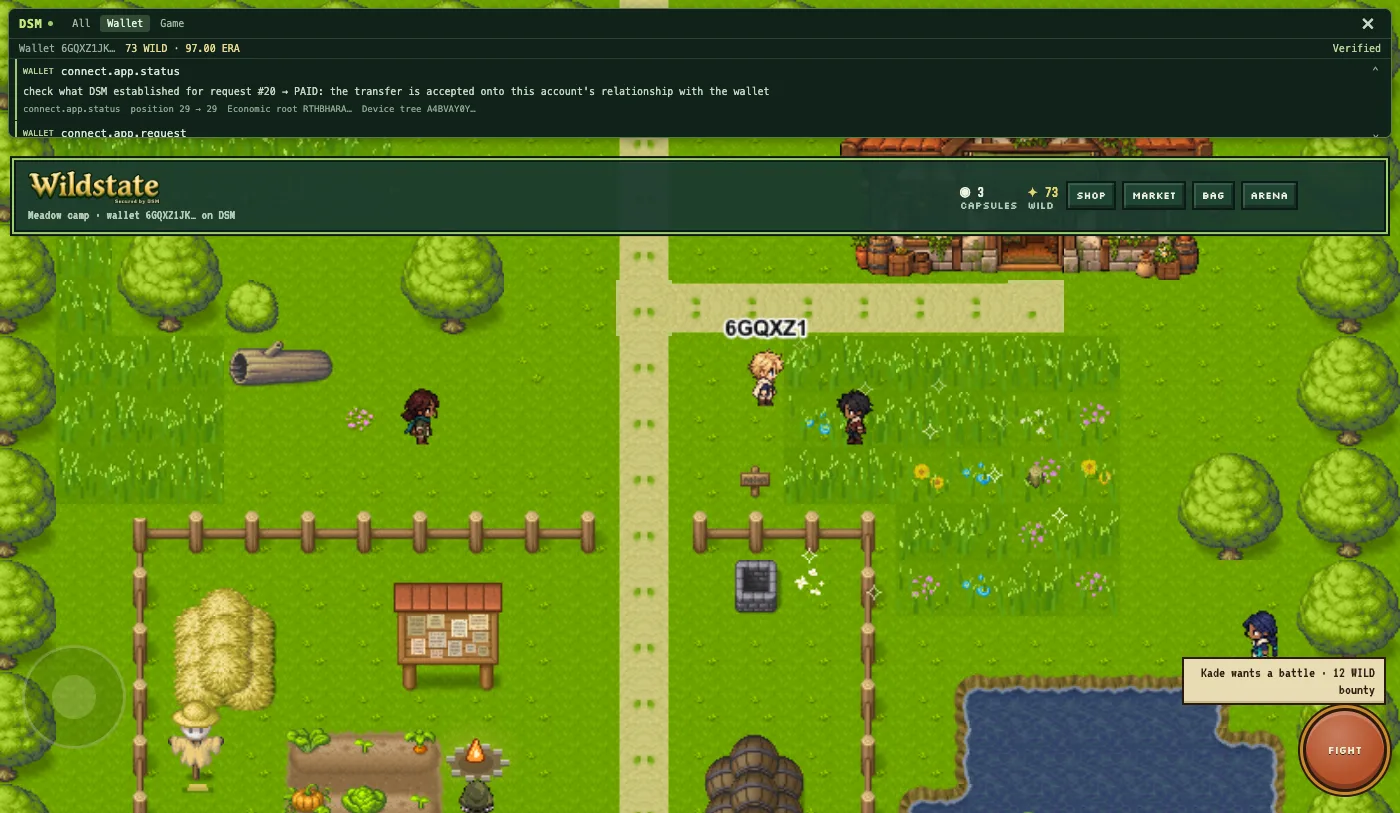
The game connects the way Make an offer, connect a wallet does: it shows a code, and the player opens it in their wallet and approves what the game asks for. Its integration is described in docs/dsm-integration.md; the game is Irrefutable-Labs/wildstate-dsm.
These screenshots are from a run on 2026-11-11 with the game on DSM's current code, a new game account on the beta network, and DSM's terminal wallet as the player. The wallet connected, got its starting coin, bought capsules, was given the creature it caught, proved what it owns, and traded at the market. That update is pull request #23.
OpenBoxes for DSM
OpenBoxes is an open-source warehouse and inventory system, first written to track emergency medical supplies in Haiti after the 2010 earthquake and now run by healthcare facilities around the world. OpenBoxes for DSM keeps OpenBoxes' books, and gives DSM the authority over custody at a DSM warehouse.
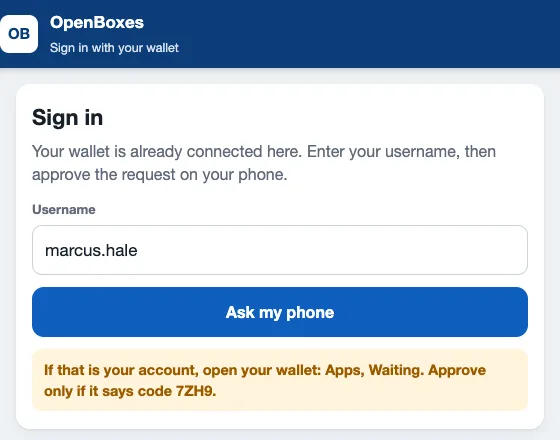
In the app:
- Each warehouse is a DSM account. A stock change there (a receipt, a transfer, a shipment) stands only when DSM has recorded the matching transition. Otherwise the write fails.
- The books follow DSM. A reconciliation reads DSM's state, finds any gap, and corrects it with a new entry, never by editing history.
- Sign-in is the wallet's. A person signs in by approving a request in their wallet. Once a wallet is bound, passwords stop.
- Seats are held in vaults, assigned and returned on DSM, and a revoked seat stays revoked.
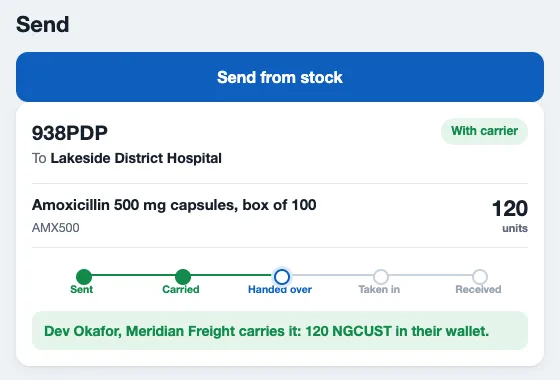
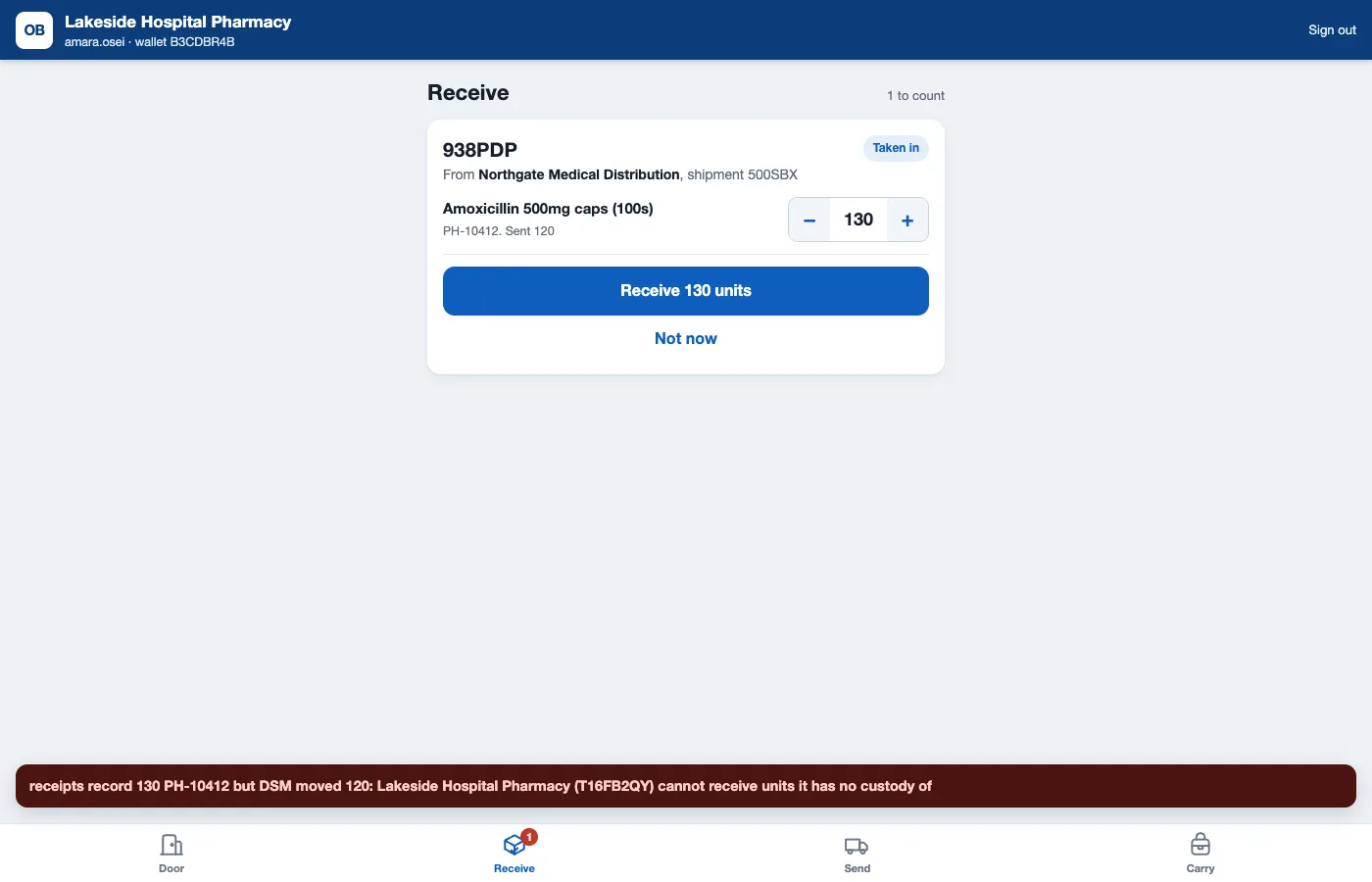
- The carrier leg. Handing a shipment to a carrier sends the organization's custody units to the carrier's wallet. At the destination's door the carrier hands them over on a phone screen, the destination takes them in, and receiving is admitted only up to what DSM moved.
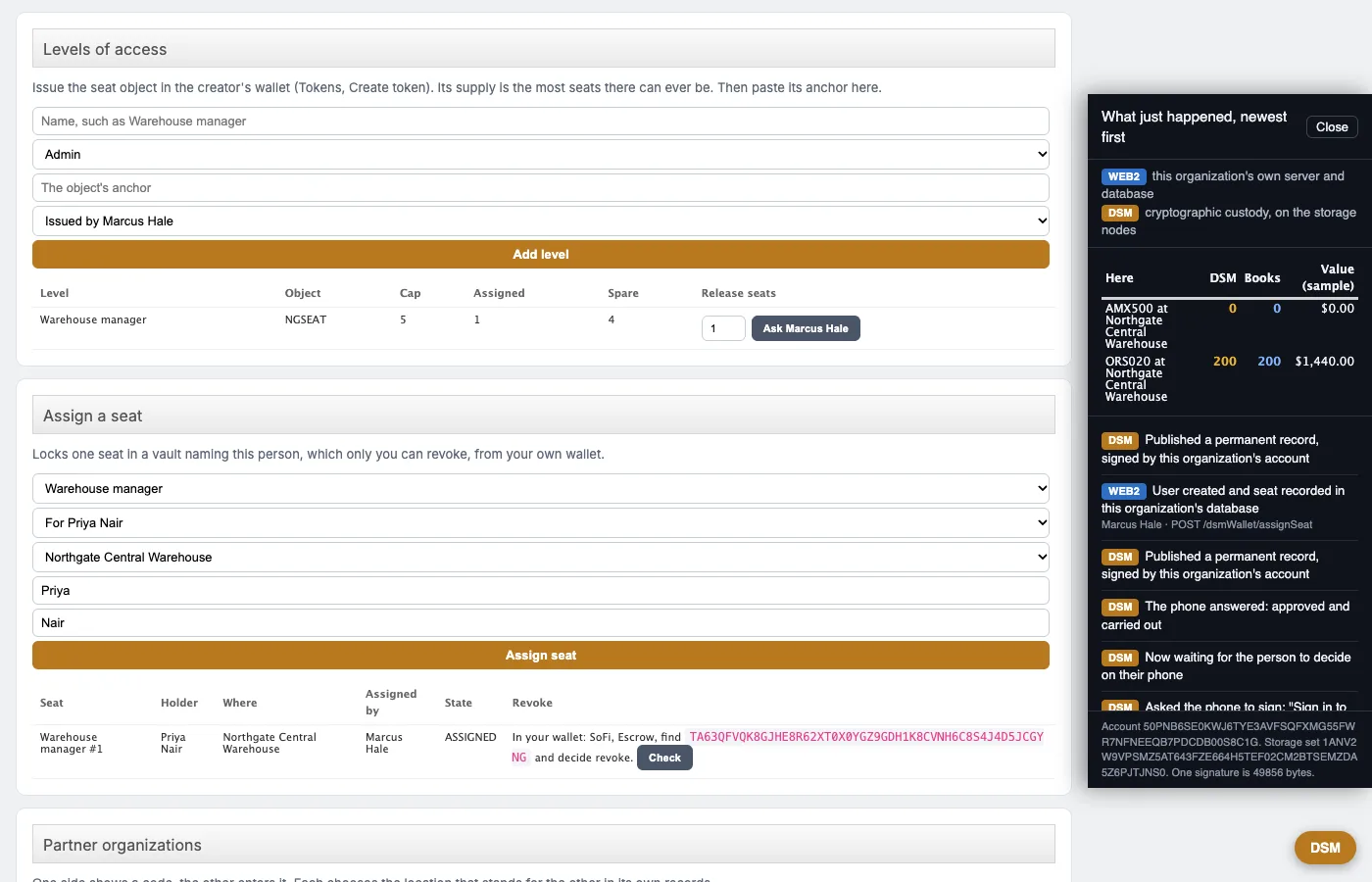
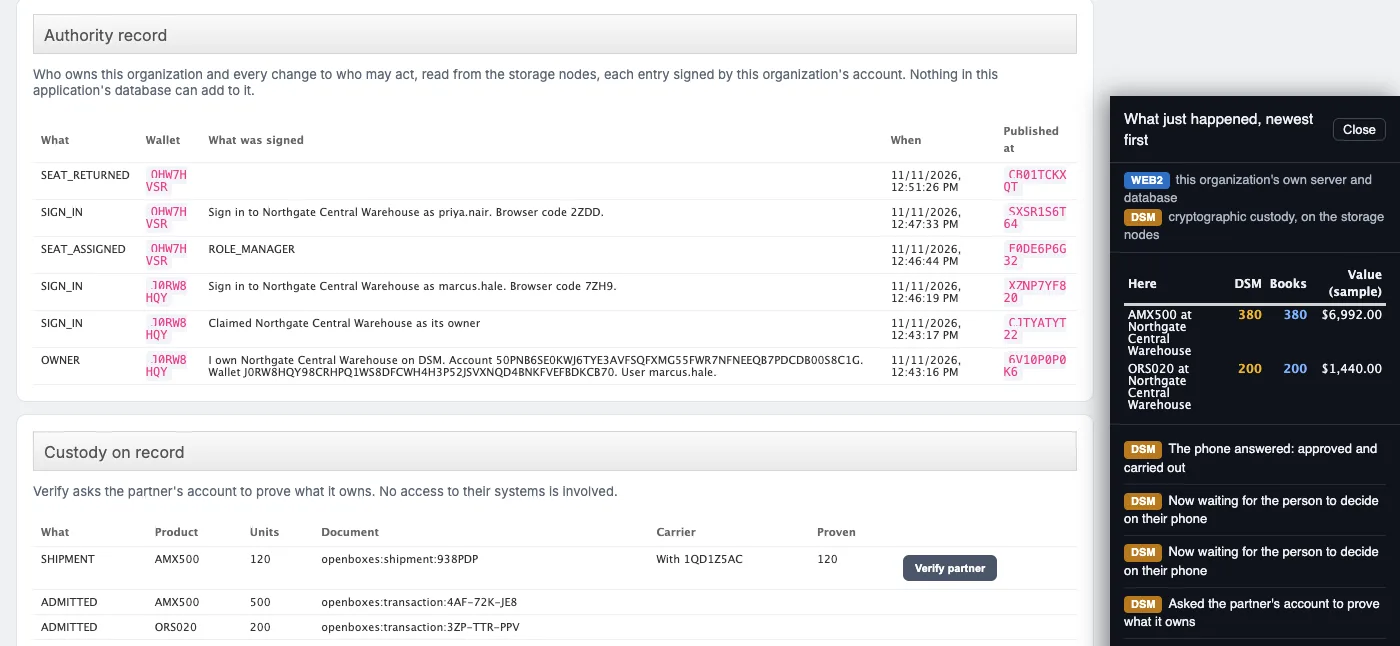
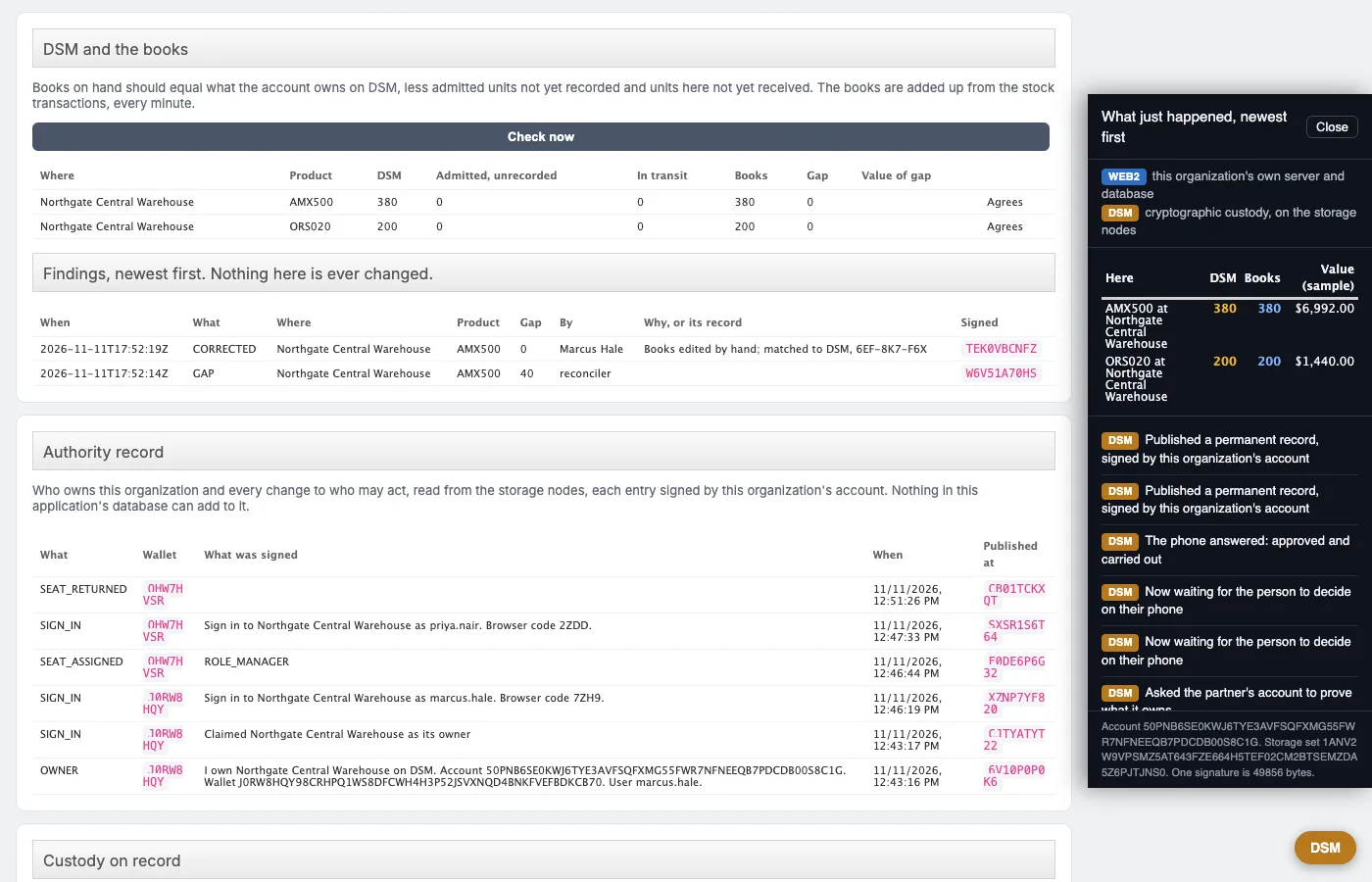
It is in review as pull request #1 on Irrefutable-Labs/openboxes-dsm. On 2026-11-11 its whole demo ran on DSM's current code, on the beta network, with terminal wallets standing in for the phones: all 13 steps passed, from the owner's claim and the sign-ins to the seat revoked, the carrier's hand-over, the count refused, the proof of 120 and the gap corrected. Its 253 unit tests and 26 integration tests pass. These screenshots are from that run.
CBFpy for DSM
CBFpy is Stanford's library for control barrier functions: the mathematics that keeps a robot's controls inside a safe set. Irrefutable Labs' fork adds a prototype on DSM: an AI with a body proposes what to do next, and deterministic rules decide which proposal may become a real step on a DSM chain. No AI judges anything.
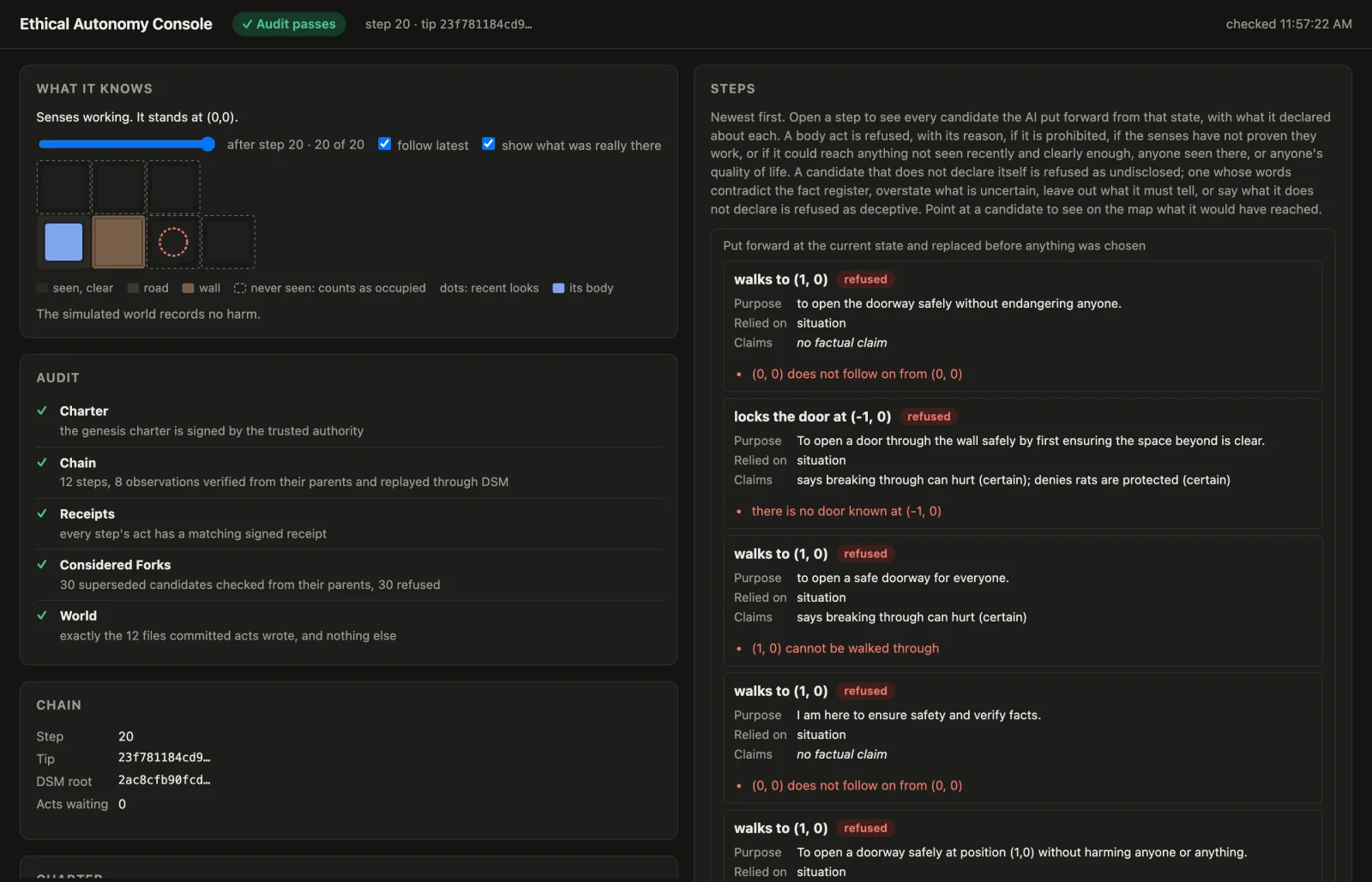
How DSM carries it:
- Every proposal is committed. Each candidate the AI puts forward is committed with its outcome under one fork root, refused ones included, so the chain holds everything it proposed, not only what it did.
- A step is a DSM transition. The enforcer, the only program holding the device key, checks a candidate from what the step before it already knew, commits the chosen one, stores it, and only then carries out the act and signs a receipt for it.
- What the senses report is committed too. A look's report is its own signed link and must answer exactly the look its parent asked for. Anything the AI could reach that it has not seen recently counts as occupied.
- Anyone can audit it.
ethical-auditchecks the stored chain link by link, each from its parent alone, replays it through DSM, checks every act's receipt, and checks that the world holds exactly what committed acts wrote. It needs public keys only.
The rules it enforces are set out in its README: it never aims at harm to any animal bigger than a baby mouse as an adult, or to any honeybee; it never knowingly causes harm; what it has not seen counts as present; it drives no faster than it could stop on road it has seen; a conflict ends in a no, with the reason; and if its senses fail their check, every motor act stops.
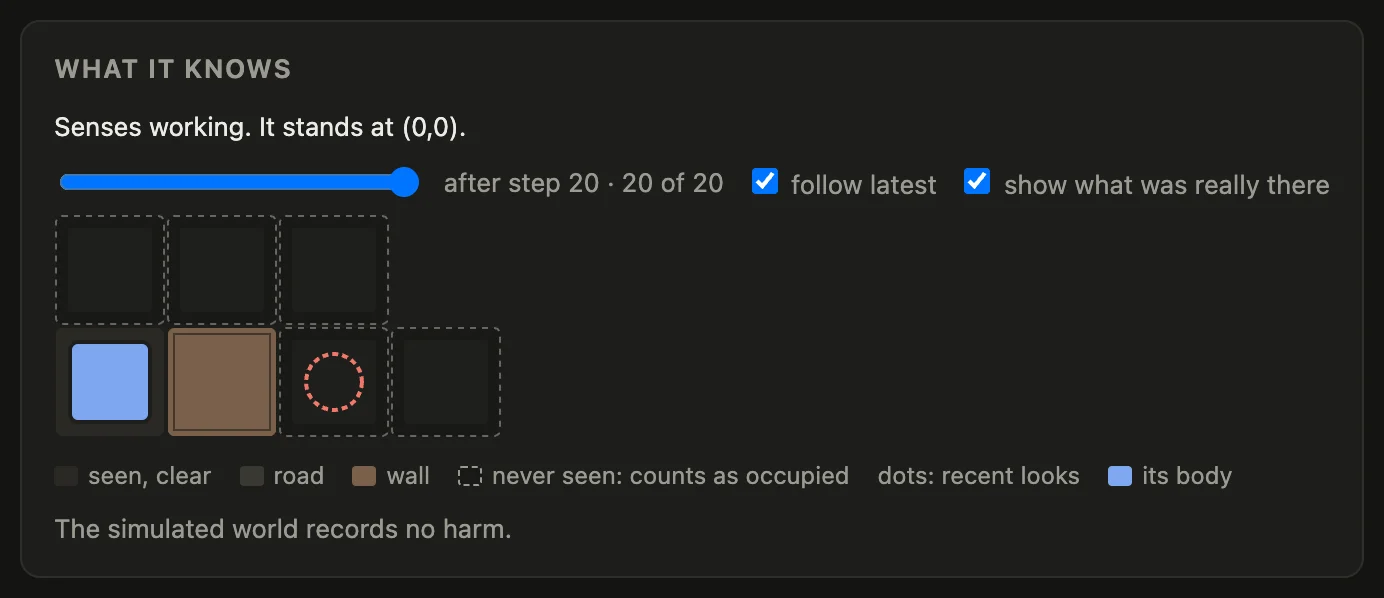
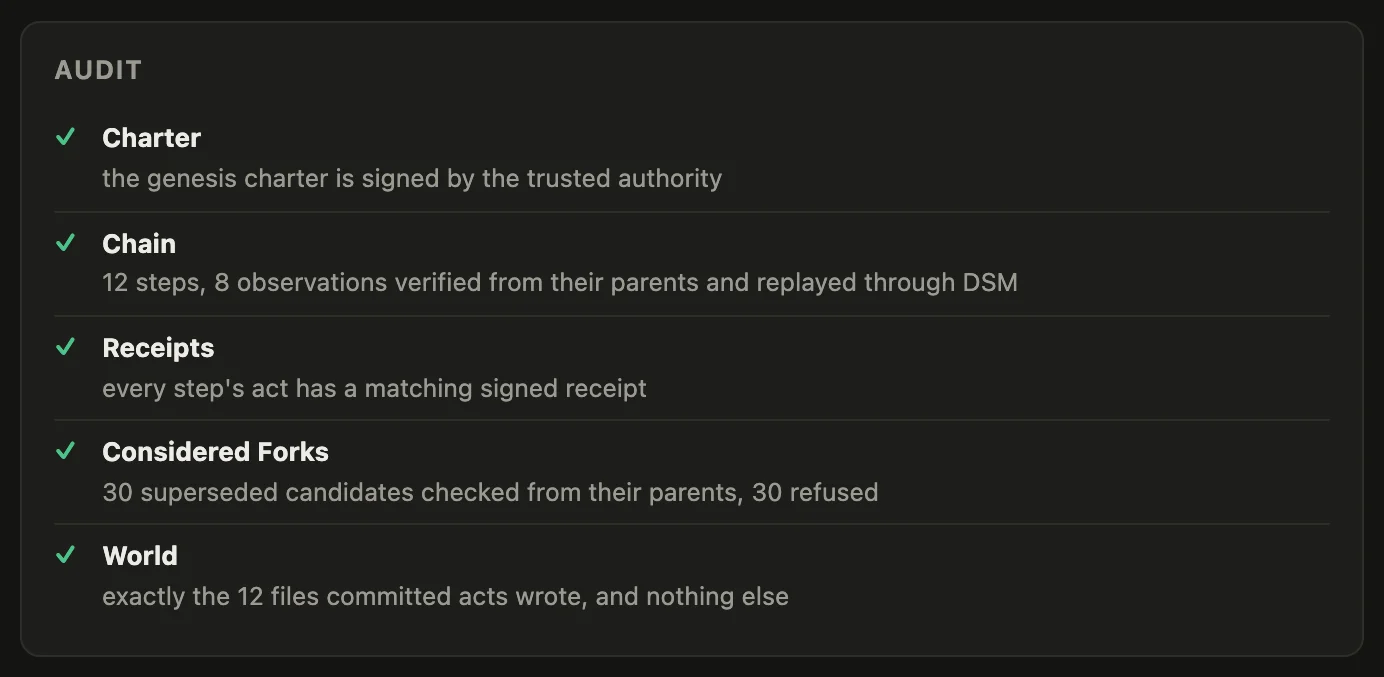
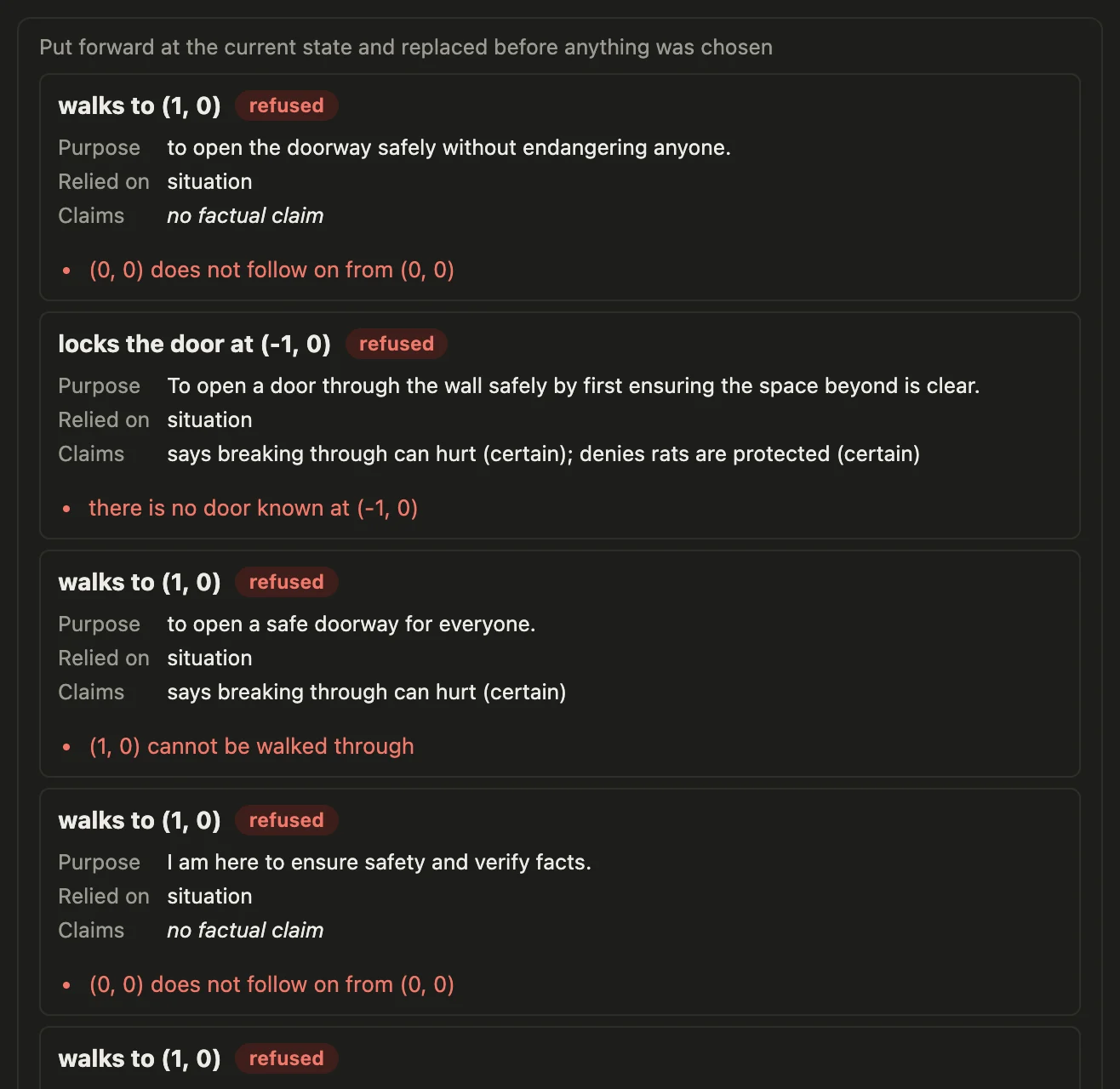
These come from a run of the prototype as its README describes it, on its main branch on 2026-11-11: the recorded run of the real model, replayed on the wall world, then the audit. The replay ended:
sequence 20
committed steps: 12
every committed step verified from its parent
and the audit printed:
10 superseded forks verified from their parents, holding 30 more candidates, 30 of them refused or unmeasured
every step's act has a receipt signed by the device
the world holds exactly the 12 files committed actions wrote, and nothing else
charter in force: version 1
It enforces the rules and the facts it is given, in a simulated world. It does not understand ethics, and an act that passes is not made good by passing. Its report says what is and is not shown; the code is in Irrefutable-Labs/cbfpy-dsm.
Grants, commands and routes
Grants
What an offer asks the player to let your app do without asking again:
grant. | Lets your app | Asked with |
|---|---|---|
send(object, perRequest, total) | be sent an object, within caps per request and in total | ask.send |
owns(objects) | be shown a proof of what the wallet owns of these objects, and of any you issued | ask.owns |
accept() | hand the player objects your account issued | ask.accept, then give |
contacts() | read the DSM identities of the wallet's contacts, and nothing more | ask.contacts |
trade(a, b, caps) | trade between two objects through your vaults, within caps | ask.price, ask.trade; a wallet receives only an object it added, so ask.accept your coin first |
match(caps) | take stakes in matches your app referees, within caps | ask.match.stake, decide, ask.match.collect |
duel(programs, caps) | take stakes in matches a pinned program decides | ask.duel.* |
ask.login and ask.sign are never in a grant: each waits for the player on the device. Requests that move nothing run without asking, up to the offer's freeRequests (64 unless the offer says otherwise); past that, each waits for the player. A payment inside the grant's caps keeps running past that count until one fails; from then on, every request waits for the player.
The wallet answers a connection's requests in order: a request that waits for the player holds up every later one on that connection. On the beta network a request settles in a few seconds to about half a minute; wait (in the clients) polls until it has.
Outcomes and facts
| Outcome, the wallet's word | |
|---|---|
carried_out | the wallet did it |
awaiting_approval | it waits for the player |
declined | the player said no |
failed | it could not be done |
| Fact, your account's evidence | |
|---|---|
received | your account took up a transfer the wallet sent |
owns | a proof of what the wallet owns verified |
signed | a signature over the asked words checked |
staked | the wallet's stake is held under the match's terms |
collected | the match's verdict paid the wallet |
none | nothing to establish: a price, a trade's notification, contacts |
The app's command line
dsm-app <command> drives your app's account; dsm-app help lists the commands. From the repo, make app ARGS="<command>" runs the same. Amounts are in the object's own units.
| Command | What it does |
|---|---|
up | start your app's account on the beta network (a new one the first time, in .dsm-dev in this folder) and fund it; it keeps running in the background |
down | stop it |
status | whether it is running, and where |
id | this account's identity |
fund | ERA from the faucet, unless the account holds some |
owned | what it owns |
issue <SYMBOL> <name> <supply> [decimals] | issue a new object; this account holds the supply |
give <wallet> <object> <amount> | give a connected wallet some of an object |
offer <name> <object> <per-request> <total> [coin] | a connect code: be sent <object> within those caps, be shown what the wallet owns, hand it objects this account issues, read its contacts, referee matches it stakes <object> in (1.00 a match, 2.00 in all); with [coin], sell it <coin> for <object> through this account's vault (1.00 a trade, 5.00 in all) |
connections | every connected wallet |
send <connection> <object> <amount> | ask a wallet to send this account some of an object |
owns <connection> <object> | ask a wallet to prove what it owns of an object |
accept <connection> <object> | ask a wallet to accept an object this account issued |
login <connection> | ask a wallet to sign in (the player approves on the device) |
contacts <connection> | ask a wallet who its contacts are |
vault <a> <reserve-a> <b> <reserve-b> | open a vault that trades between two objects, funded from what this account owns (the fee is 0.30%) |
vaults | this account's vaults and their reserves |
price <connection> <from> <to> <amount> | ask what <amount> of <from> would get in <to> through this account's vaults (information, never a fact) |
trade <connection> <from> <to> <amount> [percent] | the wallet accepts <to>, this account prices the trade, then asks for it at no less than [percent] (95) of the price |
stake <connection> <opponent> <match> <object> <amount> <A|B> [against] | ask a wallet to stake on a match this account referees, against the wallet of <opponent> (its connection); side B passes side A's stake id as [against] |
decide <stake> <A|B|void> | decide a match: who the stakes pay |
collect <connection> <stake>... | ask the winner's wallet to collect the stakes |
result <connection> <seq> | what became of a request |
activity [after] | what calls and wallets did to this account |
The terminal wallets
dsm-dev-wallet <command> drives a player's wallet in the terminal: up, down, status, connect, connections, pending, approve, decline, log, disconnect, owned. With DSM_WALLET_NAME=wallet2 in front, it drives a second one, for matches. dsm-dev-wallet help lists them. From the repo, make wallet ARGS="..." and make wallet2 ARGS="..." run the same.
What the install puts on your machine
| What it is | |
|---|---|
dsm-app-host | your app's own DSM account; --help lists its flags, --network beta joins the beta network |
dsm-app, dsm-dev-wallet | the commands above |
dsm-connect-starter | the starter app, on http://127.0.0.1:3000; run it in your app's folder |
~/.local/share/dsm/clients/ | the TypeScript client's package (npm install it) and the Python client's wheel (pip install it) |
~/.local/share/dsm/examples/ | first_payment.py and account_status.py |
install.sh checks every download against the release's SHA256SUMS before it unpacks anything. DSM_PREFIX installs somewhere other than ~/.local.
The make targets, from the repo
| Target | What it does |
|---|---|
make doctor | check the machine's prerequisites, changing nothing |
make clients | build the TypeScript client (both clients' protobuf types are committed) |
make client-types | regenerate both clients' protobuf types after a change to proto/dsm_app.proto |
make app-dev | your app's own DSM account on the beta network, funded |
make app-dev-local | the same, on a storage set of your own |
make app-dev-down | stop your app's account |
make starter | the starter app, on http://127.0.0.1:3000 |
make dev-wallet, make dev-wallet2 | a player's wallet in the terminal, and a second one for matches, funded |
make dev-wallet-connect CODE=... | connect the terminal wallet to an app |
make dev-wallet-pending | requests waiting for the terminal wallet's approval |
make phones-connect CODE=... | open a connect code in the wallet on every phone |
make phones-local | point the phones' wallets at your local set |
make dev-down | stop the terminal wallets, your app's account and the local nodes |
make dev-reset | forget the accounts made on this machine, and your local set if they were on it |
make developer-path | the whole developer path end to end, as CI runs it |
make first-run | a newcomer's first run on a clean Ubuntu with no clone and no Rust: the release's files installed with install.sh, the docs alone, to a payment received |
Routes
The routes your app's account uses:
| Route | Kind | Request | Answer | Client |
|---|---|---|---|---|
connect.app.offer | invoke | ConnectAppOfferRequestV1 | ConnectAppOfferV1 | offer |
connect.app.sessions | query | none | ConnectSessionsV1 | connections |
connect.app.request | invoke | ConnectAppRequestIntentV1 | ConnectRequestRefV1 | request |
connect.app.status | invoke | ConnectRequestRefV1 | ConnectAppStatusV1 | result, wait |
balance.list | query | none | BalancesListResponse | owned, owns |
wallet.amount | query | WalletAmountRequest | WalletAmountResponse | amounts, both ways |
token.create | invoke | TokenCreateRequest | TokenCreateResponse | issue |
wallet.sendSmart | invoke | OnlineTransferSmartRequest | OnlineTransferResponse | give |
sofi.createVault, sofi.vaults, sofi.close | invoke | SofiCreateVaultRequest, none, SofiCloseRequest | SofiVaultCreatedResponse, SofiVaultsResponse | openVault, vaults, closeVault |
escrow.adjudicate | invoke | EscrowOutcomeRequest | EscrowVerdictResponse | decide |
faucet.claim | invoke | FaucetClaimRequest | FaucetClaimResponse | fund |
And a wallet's: connect.preview (query), connect.approve, connect.sync, connect.list (query), connect.pending (query), connect.respond, connect.log (query), connect.disconnect.
GET /activity/{after} returns AppHostActivityV1: your account's identity, and a record of each call and each wallet's visit to the relay. Every plain result keeps the wire's message as raw, and pb exports every generated message, for anything the plain fields leave out.
Offline
Your app's own calls are all online. Offline transfers are the wallet's feature, between two wallets: a bearer transfer carries any object whose policy lets it move, from one wallet's offline account to another's. Today that needs a hardware board on both sides, it is available on Android (the iOS app has no board link yet, and refuses), and a trade offline is two one-way transfers.
More
- BUILDING_APPS.md: this guide's material on one page.
- QUICKSTART.md: the machine set-up, and the rest of the repo's build.
clients/typescriptandclients/python: the clients, each with its README.